
BitLocker is a tool in Windows 11 that helps protect your files by locking your drive with encryption. This means only you (or people you trust) can access your information.
Usually, BitLocker uses a special security chip in your computer called TPM (Trusted Platform Module) to unlock your PC automatically when it starts up. This keeps your computer safe without needing you to do extra steps every time.
But if you or someone else set up BitLocker to require a USB drive and a PIN code every time you turn on your PC, you can change it back so it unlocks automatically using TPM.
Steps to Turn Off USB and PIN Requirements and Enable Auto Unlock
- Open Control Panel: Click the Start button, type Control Panel, and click it from the list.
Learn more about opening Control Panel.
- In Control Panel, click on System and Security, then find and click BitLocker Drive Encryption.
- Control Panel > System and Security > BitLocker Drive Encryption
- Find your main Windows drive (usually “OS Drive” or “C:”), and click the link that says Change how drive is unlocked at startup.
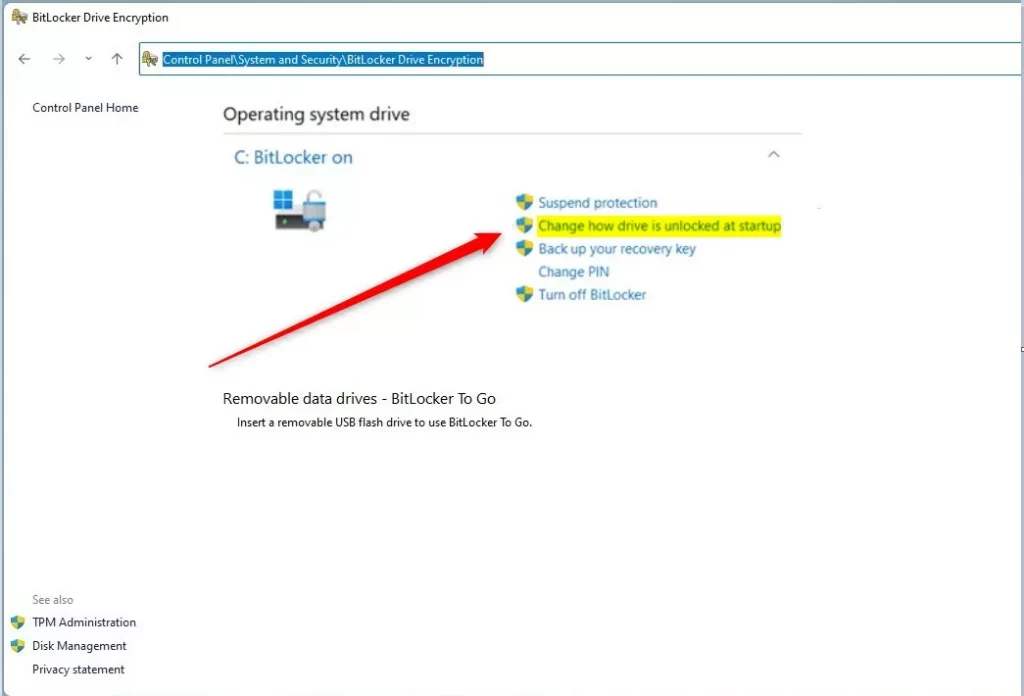 Click “Change how drive is unlocked at startup”
 - On the next page, click the option Let BitLocker automatically unlock my drive.
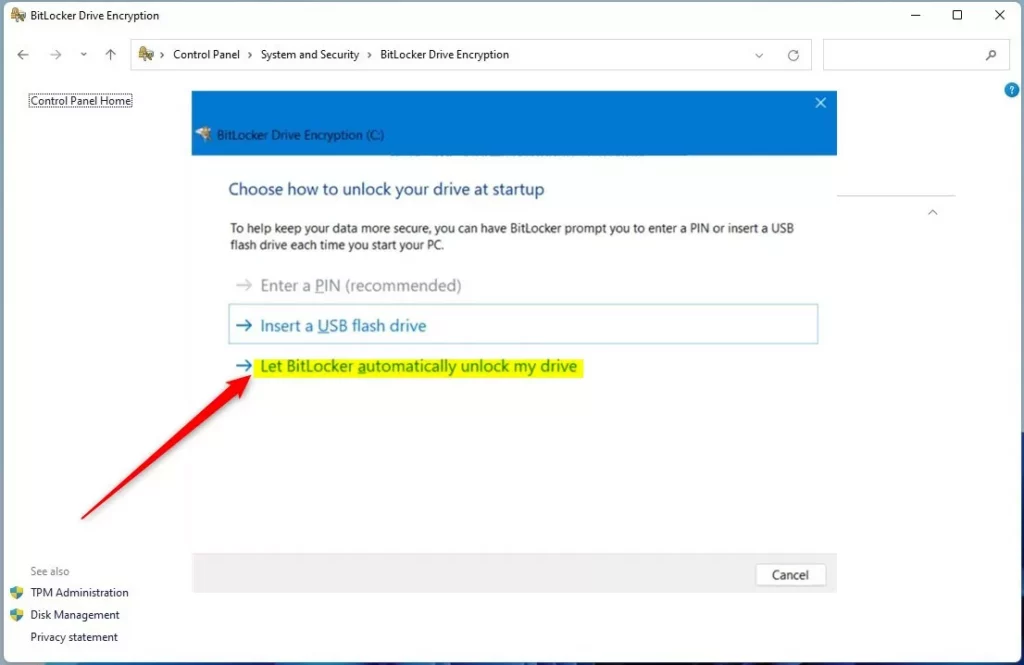
Select “Let BitLocker automatically unlock my drive” - Finally, click Finish to save the changes.
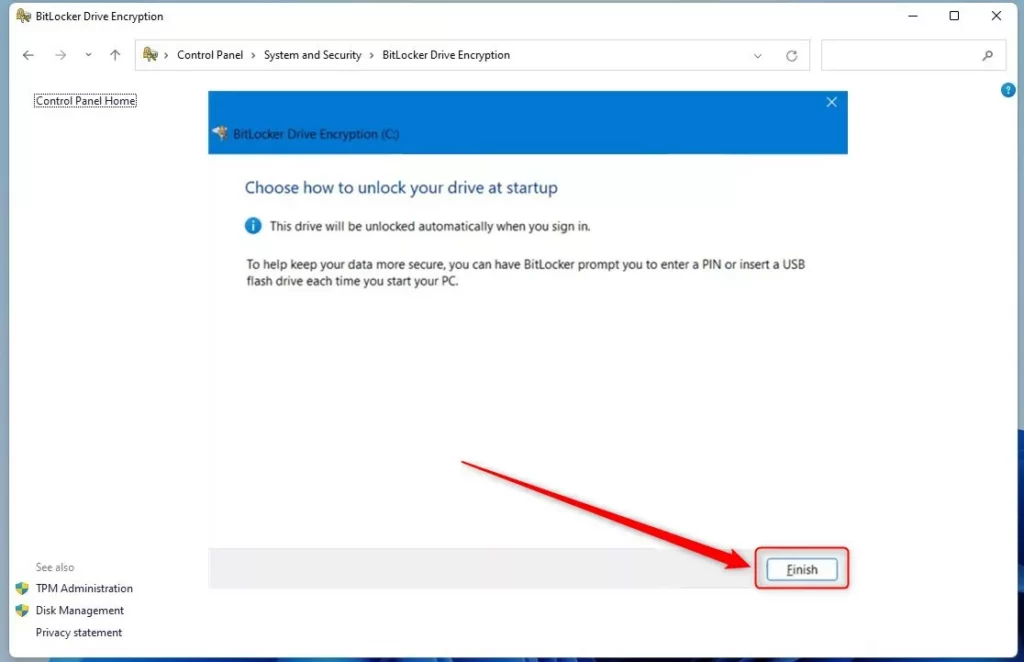
Click “Finish” to complete setup
Now, when you restart your computer, BitLocker will use the TPM chip to unlock your drive automatically. You won’t need to insert a USB key or enter a PIN at startup anymore.
Why Use BitLocker Auto Unlock?
- It keeps your files safe by encrypting your drive.
- Using TPM means your PC checks that it hasn’t been tampered with before unlocking.
- Auto unlock makes starting your computer fast and easy without extra steps.
- You can still add extra security if you want, like requiring a PIN or USB key.
Remember: If you want more info about BitLocker and security options, check out this helpful guide: How to Turn On BitLocker in Windows 11.
That’s it! Your Windows 11 PC will now unlock safely and automatically at startup using BitLocker and TPM.

Leave a Reply Cancel reply