How to Mute Chat Notifications in Microsoft Teams

You mute chat notifications in Microsoft Teams to prevent distracting pop-ups during meetings or when you need to focus.
Click the three dots next to your profile picture, select Settings, then Notifications and activity. Under Meetings, choose “Mute until I join or send a message” or “Mute” to stop chat alerts during meetings.
Microsoft Teams is a collaboration platform that allows you to communicate through chat, calls, and video meetings. Managing its notification settings, including chat alerts, is crucial for productivity.
For instance, you can mute all chat notifications or specifically target those during a meeting. This ensures you won’t be interrupted by alerts when screen sharing or presenting, helping you maintain focus.
You can easily adjust these settings directly within the Teams application itself, without needing administrative privileges. Simply open Teams from your Start menu or Taskbar to begin.
Was this guide helpful?

About the Author
Richard
Tech Writer, IT Professional
Richard, a writer for Geek Rewind, is a tech enthusiast who loves breaking down complex IT topics into simple, easy-to-understand ideas. With years of hands-on experience in system administration and enterprise IT operations, he’s developed a knack for offering practical tips and solutions. Richard aims to make technology more accessible and actionable. He's deeply committed to the Geek Rewind community, always ready to answer questions and engage in discussions.

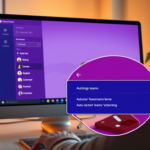

[…] notifications for likes and reactions on or off, turn meeting start notifications on or off, mute or unmute meeting chat notifications, and […]