How to Manage Microsoft Teams Mic Sensitivity Automatically

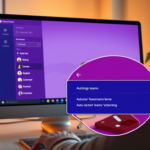
Microsoft Teams automatically manages your microphone sensitivity to ensure your voice is always heard clearly during calls and meetings.
This feature, known as automatic gain control (AGC), dynamically adjusts your mic’s input level, preventing it from being too loud or too quiet without manual intervention.
Activating this ensures a consistent audio experience, allowing Teams to suppress background noise and maintain a professional sound quality for your microphone, even with varying audio sources.
For example, AGC actively monitors your microphone’s output, making real-time adjustments to its sensitivity as you speak, ensuring a balanced volume level throughout your conversations.
Was this guide helpful?

About the Author
Richard
Tech Writer, IT Professional
Richard, a writer for Geek Rewind, is a tech enthusiast who loves breaking down complex IT topics into simple, easy-to-understand ideas. With years of hands-on experience in system administration and enterprise IT operations, he’s developed a knack for offering practical tips and solutions. Richard aims to make technology more accessible and actionable. He's deeply committed to the Geek Rewind community, always ready to answer questions and engage in discussions.



[…] during calls, set default speakers, set default microphone, enable high fidelity sound, change mic sensitivity, set default camera, and […]