

This post shows steps for students and new users to install PostgreSQL on Ubuntu Linux with the pgAdmin4 web-based management tool. PostgreSQL is a general-purpose, object-relational database management system that is probably the most advanced open-source database.
With PostgreSQL, one can add custom functions using different programming languages such as C/C++, Java, etc.
pgAdmin is a web-based interface for managing PostgreSQL database instances easily from your web browser. If you’re not a seasoned database administrator and want to manage PostgreSQL easily via your favorite web browser, use pgAdmin4.
PostgreSQL packages are included in Ubuntu default repositories. However, the versions in Ubuntu repositories aren’t the latest. To install the latest, you must install the PostgreSQL package repository on Ubuntu Linux, and this tutorial will show you how.
Also, for students and new users learning Linux, Ubuntu Linux is the easiest place to start learning. Ubuntu is the modern, open-source Linux operating system for desktops, servers, and other devices.
Follow the steps below to learn how to install PostgreSQL and pgAdmin4 Ubuntu Linux.
How to add PostgreSQL repository on Ubuntu Linux
Adding the PostgreSQL repository to Ubuntu is relatively easy. Simply run the commands below to add the PostgreSQL repository key and file.
The commands below will add the repository key and the repository file to Ubuntu Linux.
wget --quiet -O - https://www.postgresql.org/media/keys/ACCC4CF8.asc | sudo apt-key add -
sudo sh -c 'echo "deb http://apt.postgresql.org/pub/repos/apt $(lsb_release -cs)-pgdg main" > /etc/apt/sources.list.d/pgdg.list'
How to install PostgreSQL on Ubuntu Linux
Now that the repository and key are added, run the commands below to update and install the latest PostgreSQL packages.
To install PostgreSQL 11, run the commands below
sudo apt update
sudo apt-get install postgresql postgresql-contrib
The commands above will also install the PostgreSQL contrib package, which provides several additional features for the database system.
After installing PostgreSQL, the commands below can be used to stop, start and enable.
sudo systemctl stop postgresql.service
sudo systemctl start postgresql.service
sudo systemctl enable postgresql.service
To validate that PostgreSQL is installed and running, run the commands below.
sudo systemctl status postgresql.service
When you run the commands above, it should show something similar to the one below.
● postgresql.service - PostgreSQL RDBMS
   Loaded: loaded (/lib/systemd/system/postgresql.service; enabled; vendor prese
   Active: active (exited) since Wed 2018-10-31 11:58:09 CDT; 12s ago
 Main PID: 7930 (code=exited, status=0/SUCCESS)
    Tasks: 0 (limit: 4663)
   CGroup: /system.slice/postgresql.service

Oct 31 11:58:09 ubuntu1804 systemd[1]: Starting PostgreSQL RDBMS.
Oct 31 11:58:09 ubuntu1804 systemd[1]: Started PostgreSQL RDBMS.
How to access the PostgreSQL shell
When you install PostgreSQL, a Postgres user is automatically created. This user is the superuser for the PostgreSQL instance and is equivalent to the MySQL root user.
To access PostgreSQL interactive shell and manage the database, you need to switch users and login into the shell as Postgres users.
sudo su - postgres
Then use the psql command to invoke the interactive shell when creating and managing PostgreSQL databases.
psql
Set password for DB administrator (Postgres)
Another way to access the PostgreSQL prompt without switching users is to use the sudo command.
To create a change PostgreSQL database administrator password, log in as a Postgres user and invoke the psql command shell using the commands below.
sudo -u postgres psql
On the psql shell, run the below commands to change the database admin password. Either command below should work.
password
OR
password postgres
After that, quit and exit.
q
exit
How to install pgAdmin4 web portal
Now that PostgreSQL is installed run the commands below to install pgAdmin4 to manage your PostgreSQL server.
sudo apt-get install pgadmin4 pgadmin4-apache2
You will be prompted to enter the PostgreSQL user password during the installation.
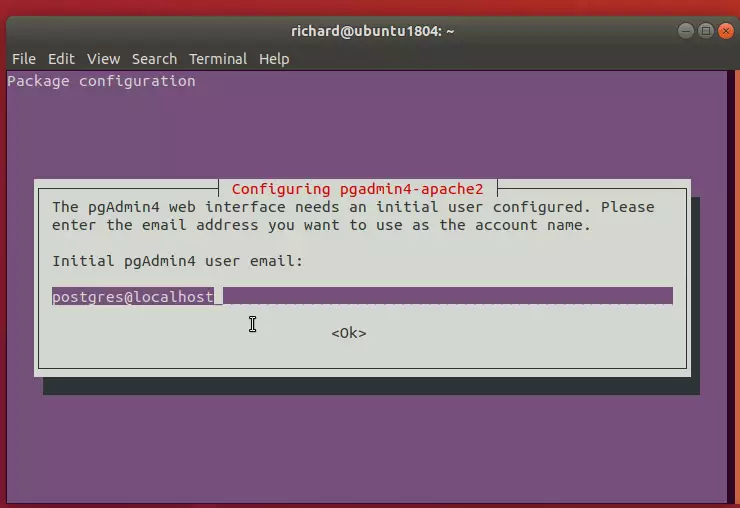
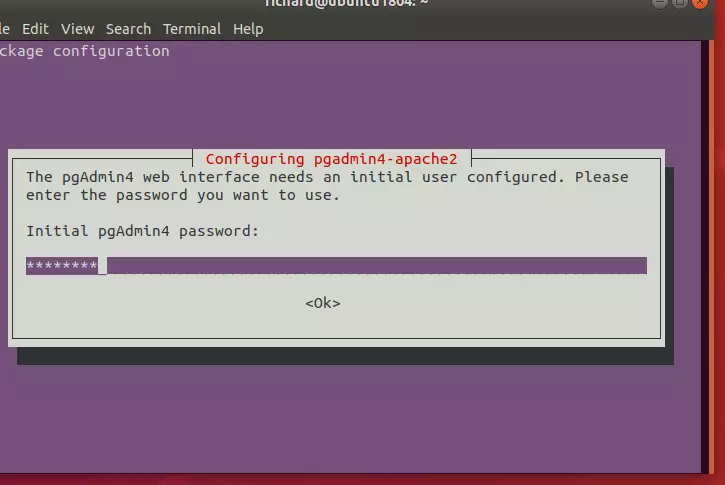
Create a password for the pgAdmin4 web service.
After installing, open your web browser and browse to the server hostname or IP address followed by pgAdmin4 URI
http://example.com/pgadmin4
Enter the web interface’s initial user account, as shown in the image above.
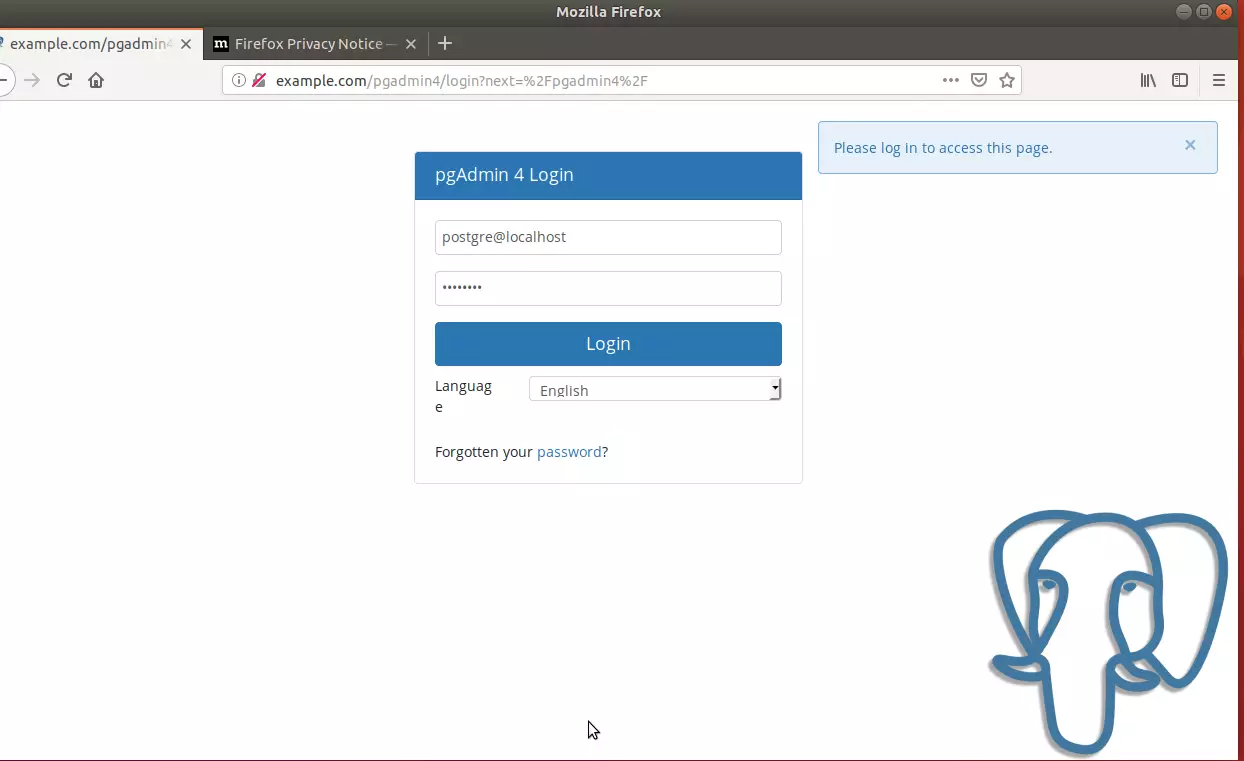
Log in and add a new PostgreSQL server.
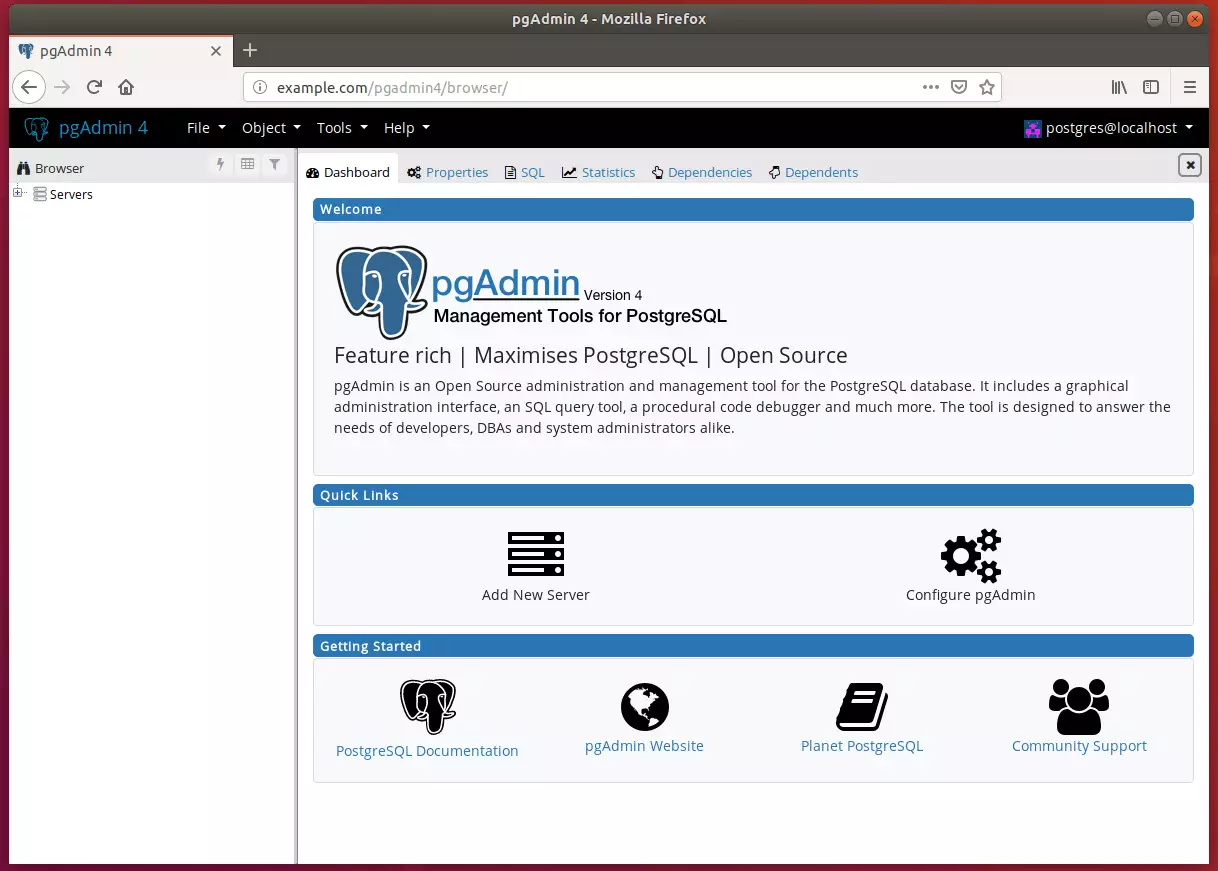
Begin setting up your environment.
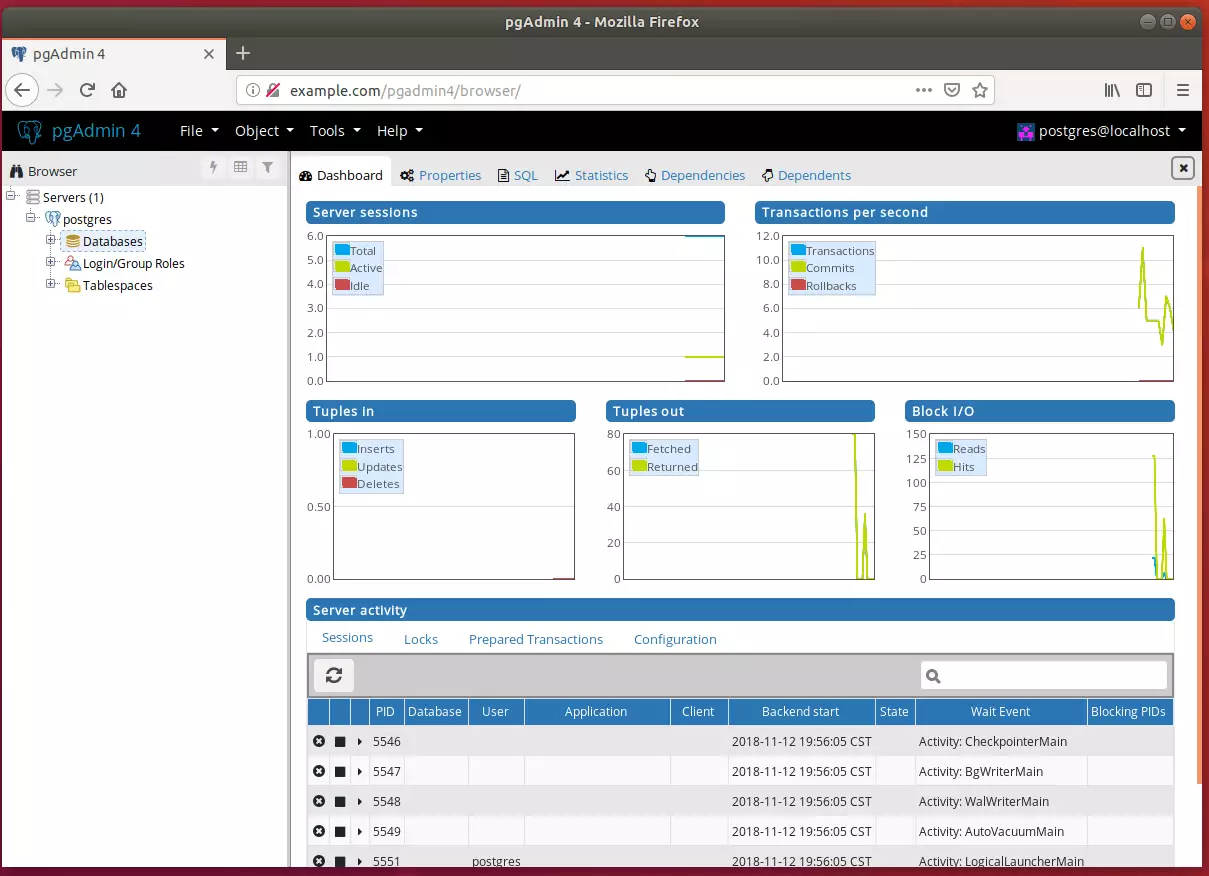
That’s it! You may want to restrict access to only local IP addresses.
Conclusion:
- PostgreSQL is a powerful and flexible object-relational database management system that offers advanced features for developers and database administrators.
- By following the outlined steps, users can successfully install PostgreSQL and the pgAdmin4 management tool on Ubuntu, making database management accessible through a web interface.
- The installation process includes adding the PostgreSQL repository, installing the latest packages, and configuring access for the PostgreSQL shell and pgAdmin4.
- Setting a password for the Postgres user is crucial for security, allowing for controlled access to the database.
- With pgAdmin4, users gain a comprehensive platform to create, manage, and monitor PostgreSQL instances efficiently.
- Remember to consider network security by restricting access to only local IP addresses, ensuring your database environment remains secure.


Leave a Reply