How to Install NetBeans on Ubuntu 24.04

You install NetBeans on Ubuntu 24.04 to get a powerful Integrated Development Environment (IDE) for programming.
Apache NetBeans is a free, open-source IDE renowned for its support of languages like Java, PHP, and HTML5, offering features such as code completion and debugging.
It’s especially popular for Java development, streamlining project management, code navigation, and deployment with its built-in tools.
You can install NetBeans on Ubuntu 24.04 using several straightforward methods, empowering you to boost your coding productivity on Linux.
Install NetBeans on Ubuntu 24.04 by downloading the DEB package and running “sudo apt install ./apache-netbeans_24-1_amd64.deb”. Alternatively, use the App Center, Snap (“sudo snap install netbeans –classic”), or Flatpak (“flatpak install flathub org.apache.netbeans”).
Install NetBeans using DEB
The easiest way to install NetBeans on Ubuntu is to download its DEB package from the download site and install it.
First, visit its download site and copy the link for the appropriate Apache NetBeans 24+JDK 23 Deb package you want to install.
Use the command below to download the file, replacing the version number with the current version.
wget https://github.com/codelerity/netbeans-installers/releases/download/v24-build1/apache-netbeans_24-1_amd64.deb
Once downloaded, use the command below to install the package.
sudo apt install ./apache-netbeans_24-1_amd64.deb
After the installation, launch the app from the Application menu and search for NetBeans. Select and launch it.
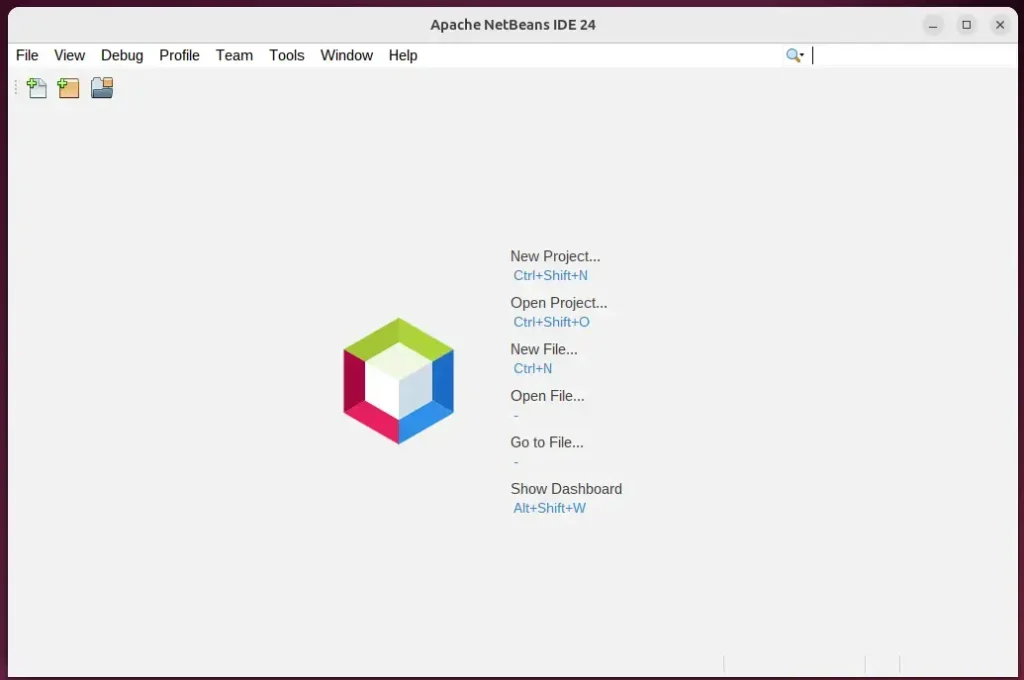
Start developing your apps.
Install NetBeans using the App Center
One way to install NetBeans on Ubuntu is using the App Center app. Click on the App Center app to open it.

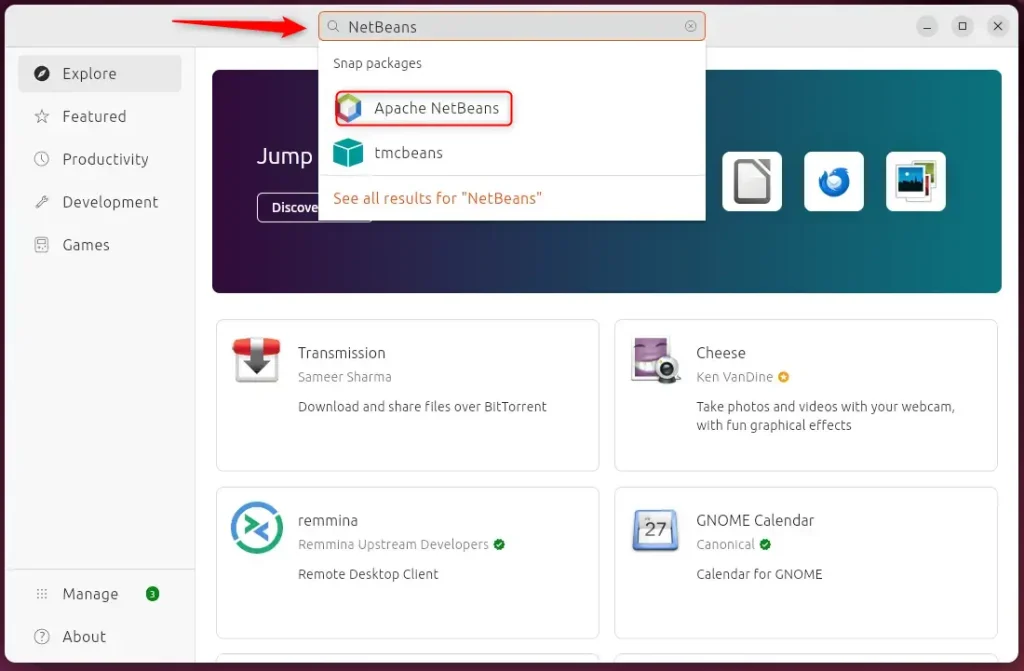
When the app opens, use the search box to search for NetBeans to install it.
Install the app
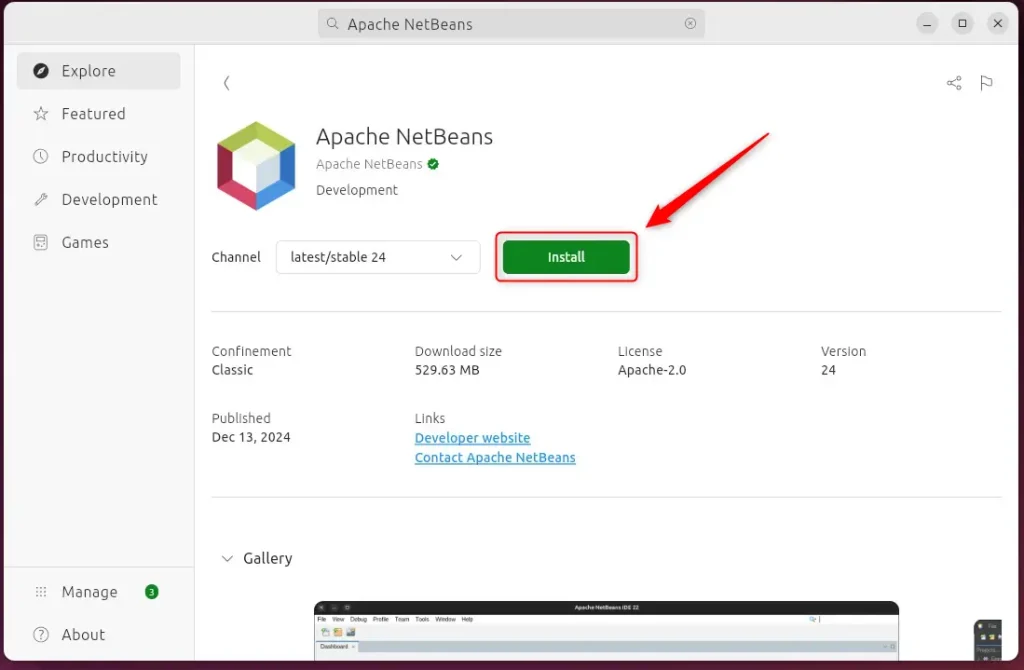
Once installed, use the Dock on the left sidebar to search and launch the NetBeans app.
Install NetBeans using Snap
Yet, another way to install NetBeans is to use the Snap package manager.
To do that, install the Snap package manager if it’s not already installed.
sudo apt install snapd
Then, run the command below to install NetBeans from the Snap package manager.
sudo snap install netbeans --classic
Once installed, use the Dock on the left sidebar to search and launch the NetBeans app.
You can also run the app using the command below.
sudo snap run netbeans
Remove the app using the command below.
sudo snap remove netbeans
Install NetBeans using Flatpak
Another way to install NetBeans is to use the Flatpak package manager. Flatpak uses a sandboxing package installation, enhancing security and allowing easy updates.
Flatpak is a third-party application distribution system that is not included in Ubuntu by default.
You must install the Flatpak package manager and then install NetBeans from there.
First, update and install Flatpak.
sudo apt update && sudo apt upgrade
sudo apt install flatpak
Next, add the Flatpak repository to Ubuntu.
sudo flatpak remote-add --if-not-exists flathub https://flathub.org/repo/flathub.flatpakrepo
Finally, install Discord.
flatpak install flathub org.apache.netbeans
Once installed, you can launch it using the command below or open the app in the desktop apps center.
flatpak run org.apache.netbeans
Uninstall the app using the command below.
flatpak uninstall flathub org.apache.netbeans
That should do it!
Conclusion:
Installing Apache NetBeans on Ubuntu 24.04 can significantly enhance your development experience. Here are the key takeaways:
- Multiple Installation Methods: Choose from several methods, including DEB packages, App Center, Snap, and Flatpak, based on your preference.
- User-Friendly IDE: Apache NetBeans provides robust support for various programming languages, making it an excellent choice for developers.
- Integrated Tools: The IDE has essential features like code completion, syntax highlighting, and debugging tools to streamline the coding process.
- Enhanced Productivity: Utilizing the features of NetBeans can lead to more efficient project management and application development.
- Community Support: Being an open-source platform, NetBeans has a supportive community that can assist with troubleshooting and enhancements.
With these points in mind, you can install Apache NetBeans and take your coding projects to the next level!
How do I install NetBeans in Ubuntu?
Which is sudo snap install net beans. And then hyphen classic here which is going to essentially install the latest version available on snap right just provide your Ubuntu's uh password.
How to install NetBeans latest version?
Button under the version. And then you have few options. So you have the binary. Options which is platform independent. And then you have the installers. And packages. So for Windows operating.
Is there NetBeans for Linux?
Apache NetBeans can be installed on all operating systems that support Java, i.e, Windows, Linux, Mac OSX and BSD. Write Once, Run Anywhere, applies to NetBeans too.
Was this guide helpful?

About the Author
Richard
Tech Writer, IT Professional
Richard, a writer for Geek Rewind, is a tech enthusiast who loves breaking down complex IT topics into simple, easy-to-understand ideas. With years of hands-on experience in system administration and enterprise IT operations, he’s developed a knack for offering practical tips and solutions. Richard aims to make technology more accessible and actionable. He's deeply committed to the Geek Rewind community, always ready to answer questions and engage in discussions.



No comments yet — be the first to share your thoughts!