How to Enable or Disable Edge Mini Menu

You enable or disable the Microsoft Edge Mini Menu to control whether a small menu appears when you highlight text on a webpage.
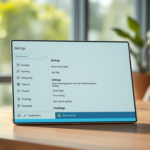
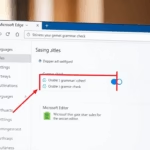
Enable or disable the Edge Mini Menu by navigating to Settings > Appearance and toggling “Show mini menu when selecting text.” Alternatively, use the Registry Editor at 🗝️HKEY_LOCAL_MACHINE\SOFTWARE\Policies\Microsoft\Edge to modify the QuickSearchShowMiniMenu value.
This Mini Menu, a feature within the popular Edge browser (built on the same Chromium engine as Chrome), provides quick actions like copying or searching selected text directly from the page. It offers a cleaner browsing experience if you prefer fewer pop-ups.
In Edge, this useful feature can be toggled on or off within the browser’s settings, giving you control over its behavior as you browse.
Was this guide helpful?

About the Author
Richard
Tech Writer, IT Professional
Richard, a writer for Geek Rewind, is a tech enthusiast who loves breaking down complex IT topics into simple, easy-to-understand ideas. With years of hands-on experience in system administration and enterprise IT operations, he’s developed a knack for offering practical tips and solutions. Richard aims to make technology more accessible and actionable. He's deeply committed to the Geek Rewind community, always ready to answer questions and engage in discussions.

No comments yet — be the first to share your thoughts!