

This post describes steps to turn On or Off location services in Ubuntu Linux.
For some apps to function correctly, they need to know where you’re located and where you’re connecting from.
Ubuntu Linux geolocation, or location services, uses cell tower positioning, GPS, and nearby Wi-Fi access points to determine your current location for use in setting your time zone and by applications such as maps.
Your location can be shared over the network with great precision when enabled.
If you feel that location services in Ubuntu Linux are evading your privacy, you can turn this feature off, or if you don’t mind, turn it back on.
Below is how to turn on or off location services in Ubuntu Linux
How to turn on or off location services in Ubuntu Linux
As mentioned above, location services in Ubuntu Linux are used to determine your current location for setting your time zone and by applications such as maps.
Below is how to enable or disable it in Ubuntu Linux.
Ubuntu Linux has a centralized location for the majority of its settings. From system configurations to creating new users and updating, all can be done from the System Settings panel.
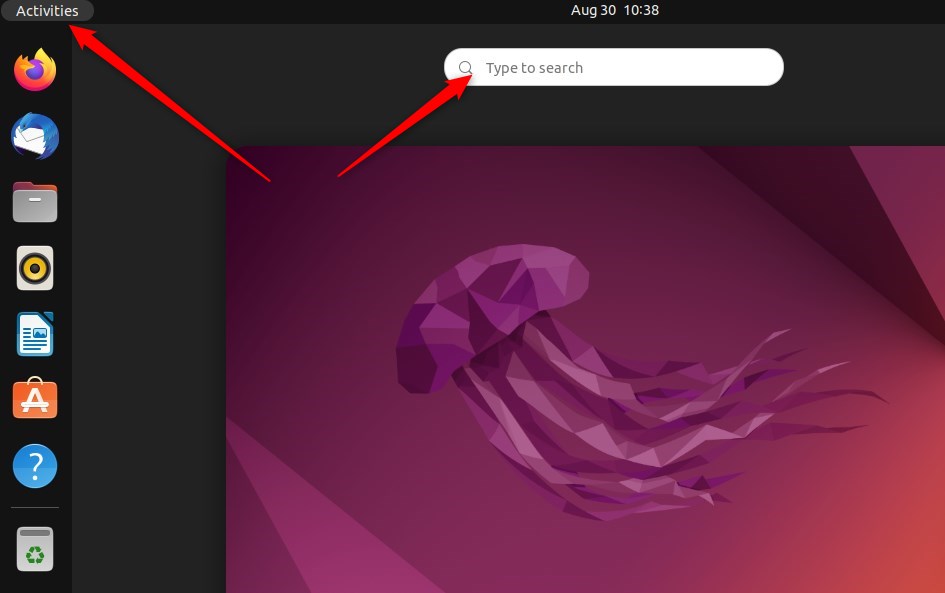
To get to System Settings, open the Activities overview and start typing Settings.
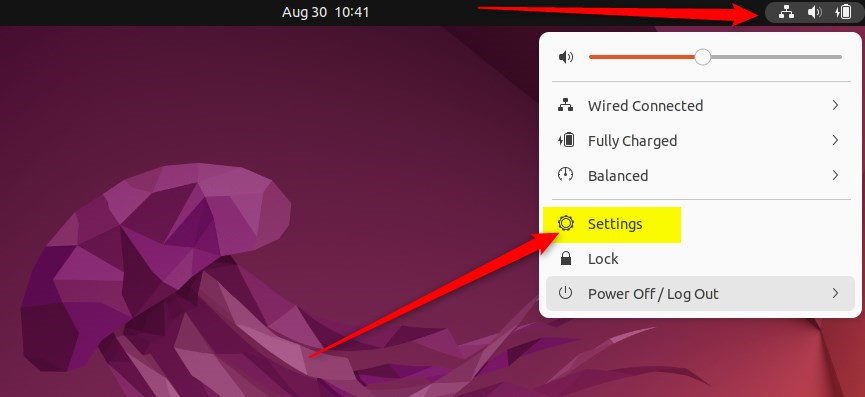
Alternatively, click on the System menu at the top-right corner of the top bar on your desktop.
On the System menu, select Settings as highlighted below
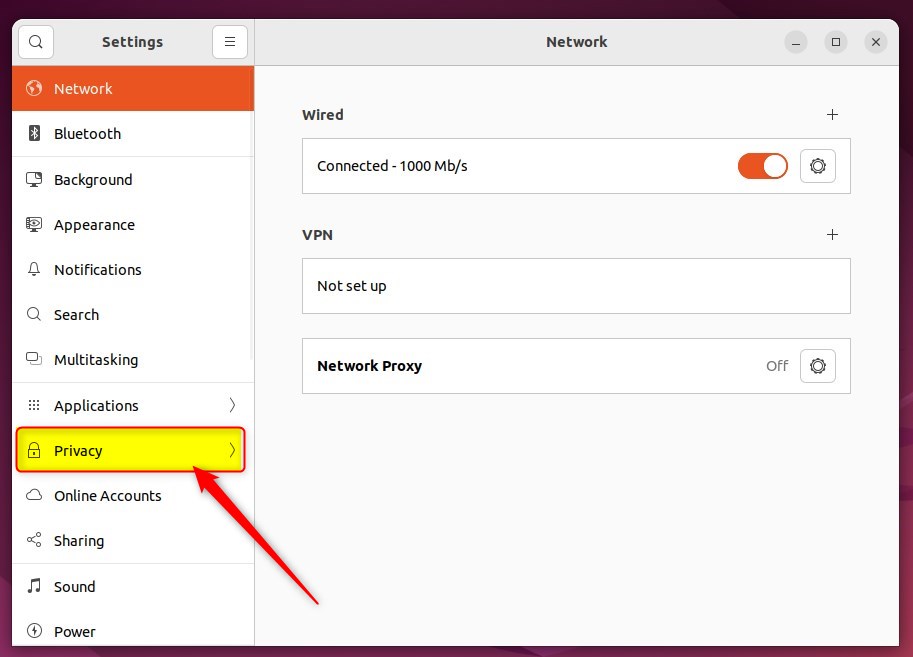
In the Settings app, click on the Privacy tile to expand.
In the Settings -> Privacy -> Location Services settings panel, toggle the Location Services switch to On or Off.
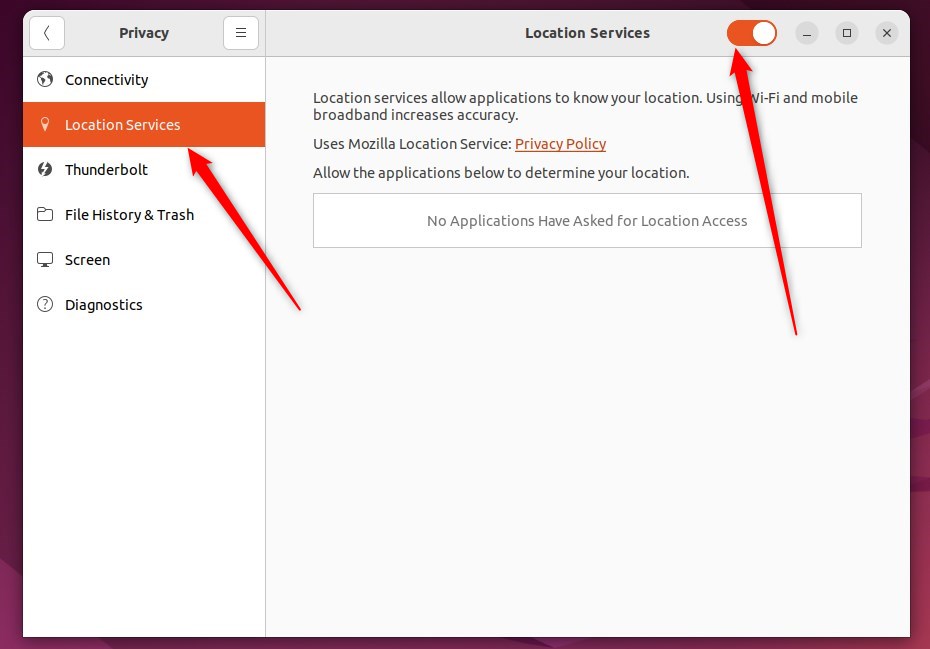
If the Location Services is off, you can re-enable this feature by setting the Location Services switch to On.
That should do it!
Conclusion:
- Ubuntu Linux provides location services using cell tower positioning, GPS, and Wi-Fi access points to set the time zone and aid applications such as maps.
- Users can manage the location services in Ubuntu Linux through the Settings panel under the Privacy section.
- Users can control whether their location is shared over the network by toggling the Location Services switch to On or Off in the Settings -> Privacy -> Location Services settings panel.
- If privacy concerns arise, users can turn off the location services, and they can easily re-enable it when necessary.

Leave a Reply