

This article explains how to create a password reset disk for a local account in Windows 11.
A password reset disk is a helpful Windows tool. It lets you reset your password if you forget it. You can create a password reset disk on a USB drive or a floppy disk. Then you can use it to reset your password if you ever get locked out of your Windows account.
It’s a smart safety measure. It can help you if you have trouble remembering your password.
Why create a password reset disk? A password reset disk can only be created for a local account, not a Microsoft account. This is important to know before you start.
Create a Password Reset Disk on Windows 11
Users can create a password reset disk for their local account on Windows 11. Here’s how to do it.
- Sign in to Windows with your local account.
- Plug a USB flash drive into your Windows 11 device.
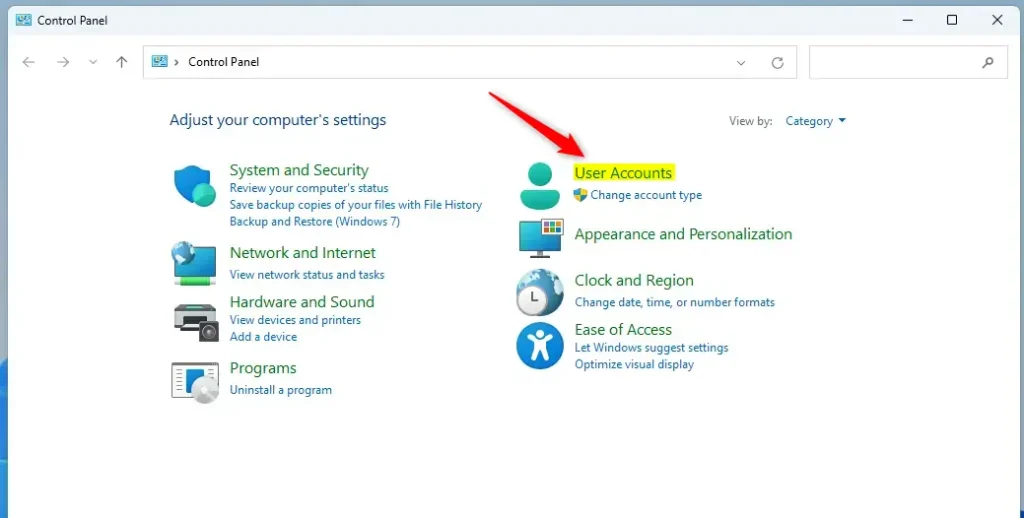
- Open the Control Panel and click the User Accounts icon.
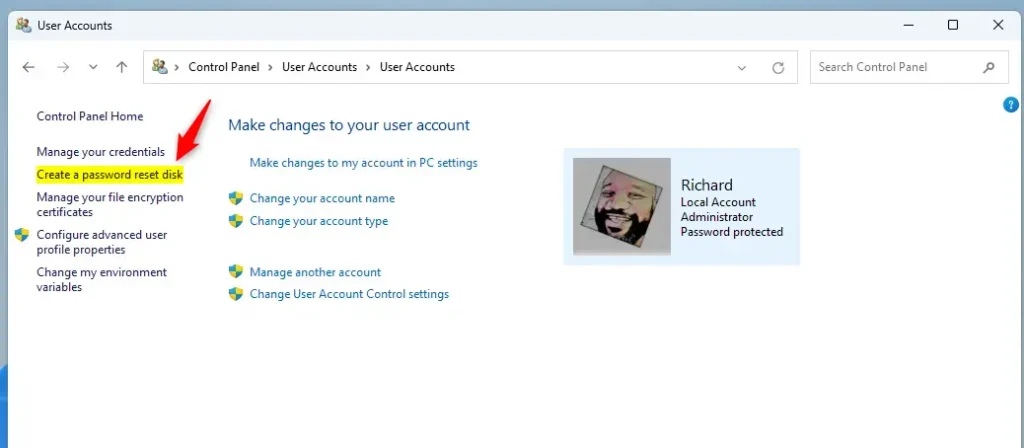
- Click the “Create password reset” link on the left in the User Account -> User Accounts settings pane. Note: If you log in with your Microsoft account, you won’t see this link.
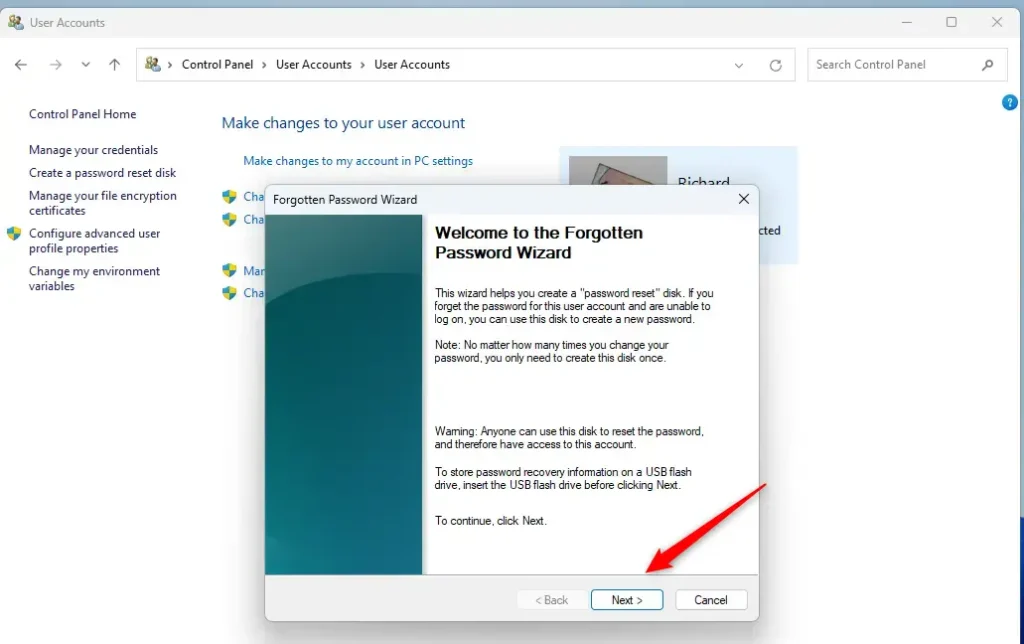
- On the “Forgotten Password Wizard” window, click Next.
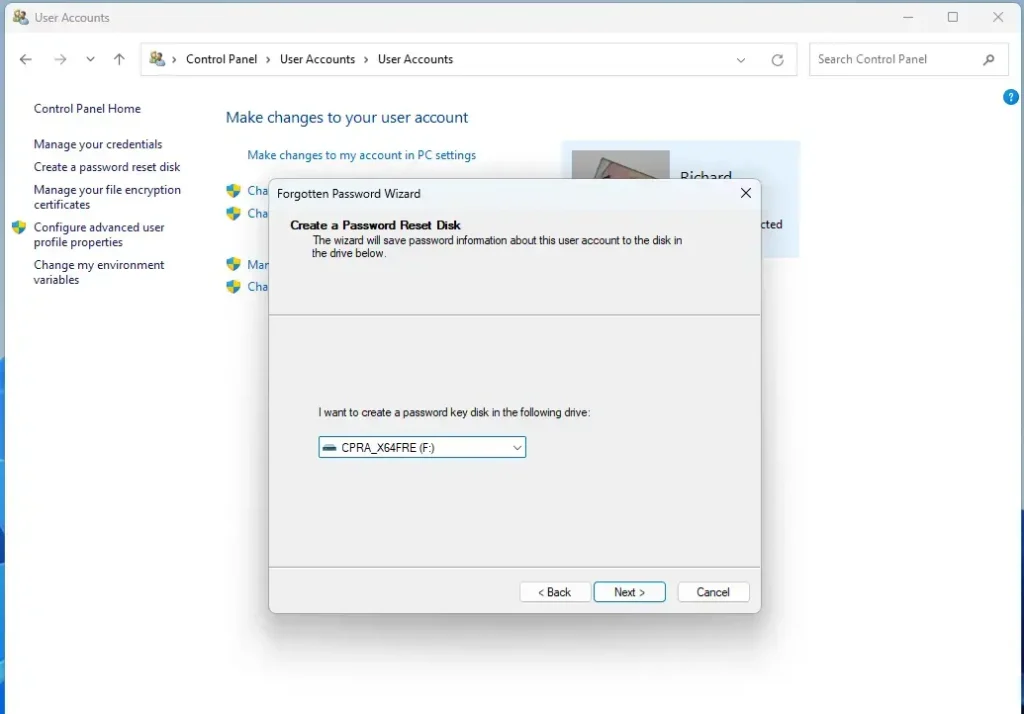
- Select the USB disk to use to reset your forgotten password.
- Type your current password on the next screen and continue.
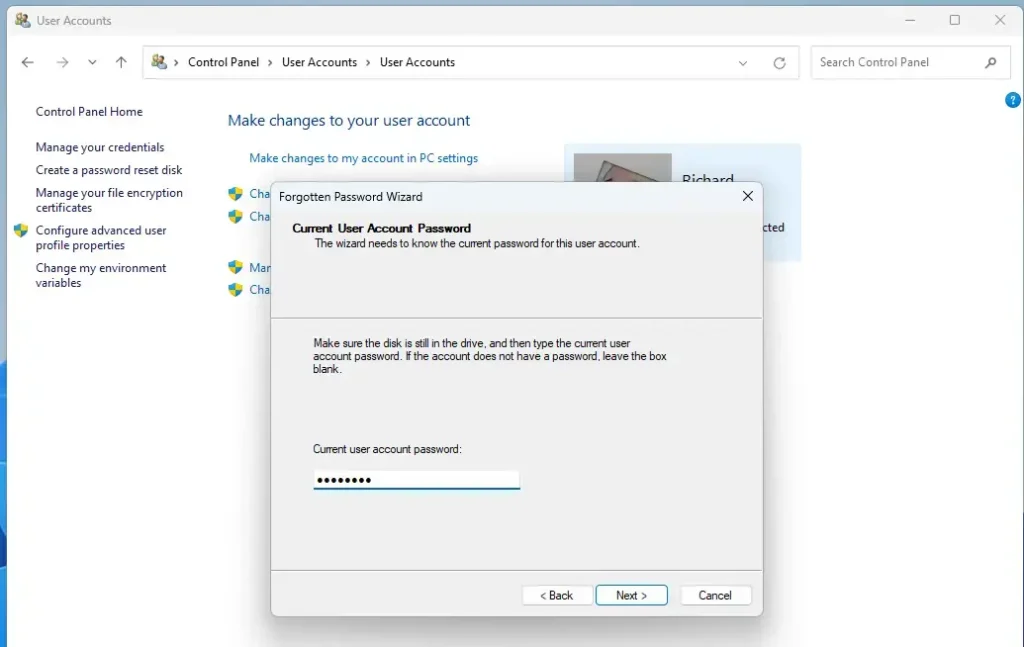
- Click the Finish button to complete the wizard.
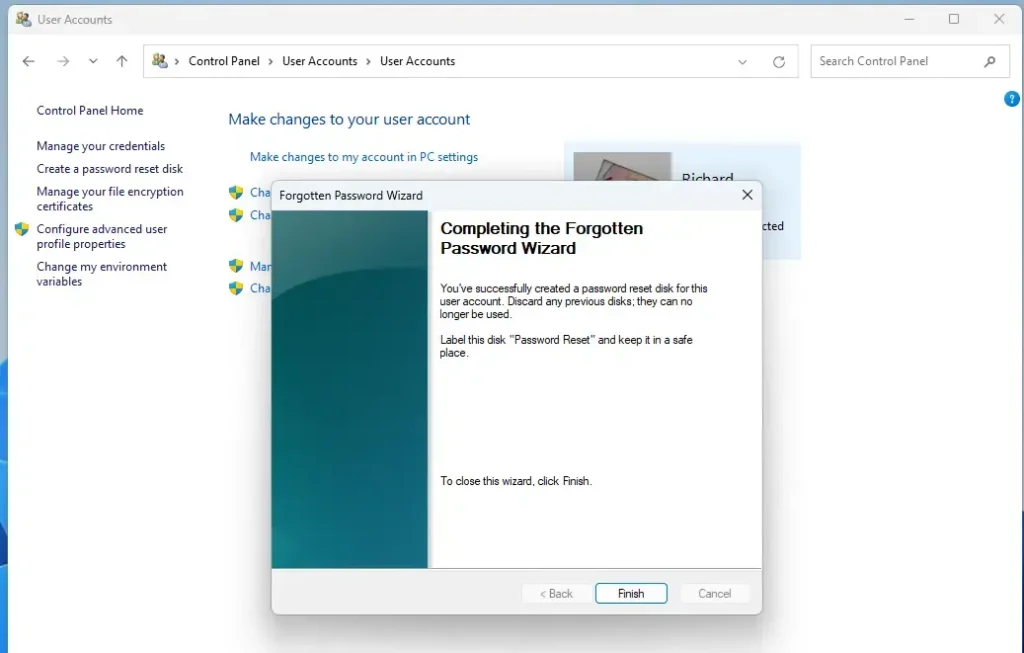
What happens when done? Your password reset disk is now created. You can use it anytime you forget your password.
Summary
Creating a password reset disk for a local account in Windows 11 is an important safety step. It protects you if you forget your password. Remember that this feature works only for local accounts. It cannot be used for Microsoft accounts. By following the simple steps above, you can easily create a password reset disk using a USB flash drive and the Control Panel. If you ever get locked out of your local account, having a password reset disk can save you from the hassle of password recovery or account reset procedures.
Frequently Asked Questions
What is a password reset disk in Windows 11?
How do I create a password reset disk for my local account?
Can I use a password reset disk for a Microsoft account?
What should I do if I forget my password and don't have a reset disk?
Is it safe to store my password reset disk?
Leave a Reply Cancel reply