

This article explains how to change the primary alias for your Microsoft account.
What is a Microsoft Account Alias?
A Microsoft account is what you use to access many Microsoft devices and services. You can sign into Skype, Outlook.com, OneDrive, and more with it. After you create an account, you can change your account name, reset your password, manage devices in your account, and more.
Users can create account aliases with their Microsoft accounts. You can create multiple aliases. Then you can select any of them for sending and receiving email. All your aliases share a single password.
What is a Primary Alias?
Your primary alias is the email address shown when you sign in on your Microsoft devices. This includes a Windows PC, Xbox, or Windows Phone. You can change your primary alias at any time.
Why Change Your Primary Alias?
You may want to change your primary alias for several reasons. One reason is that you want to use a different email address or phone number to sign in to your Microsoft devices and services.
Another reason is that you want to keep an old email address or phone number. You no longer want to use it. But you still want to retain your contacts, online storage, subscriptions, and settings.
Whatever the reason, changing your primary alias is simple. It only takes a few steps.
How to Change Your Primary Alias
Sign in to your Microsoft account page.
Look under “Manage how you sign in to Microsoft.” You will see your account aliases listed here. This includes your primary alias.
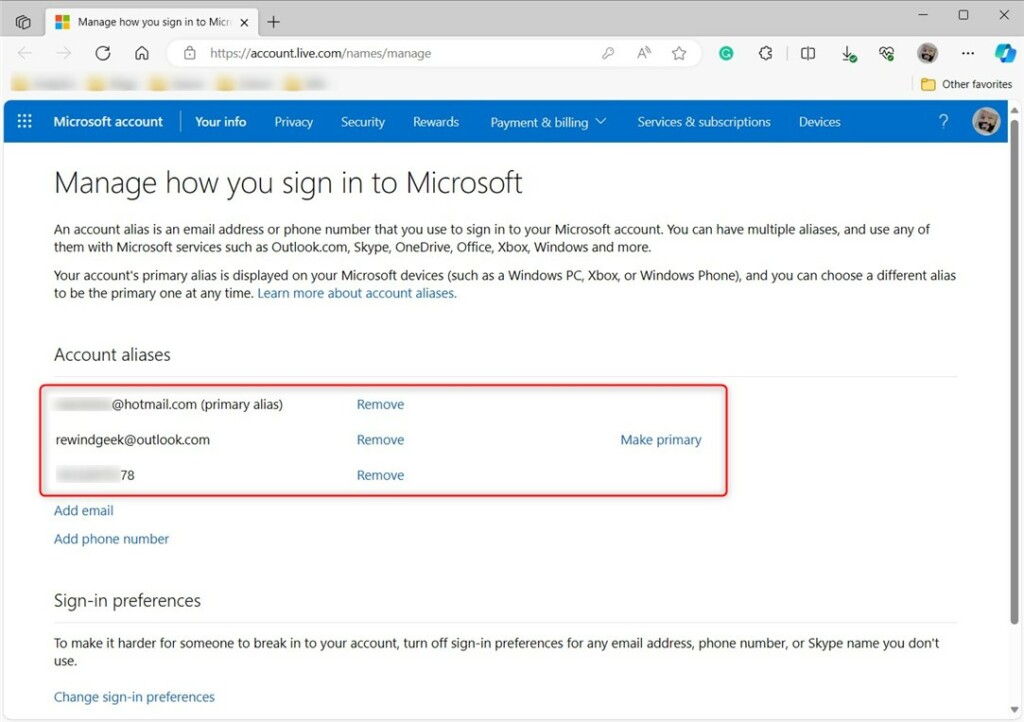
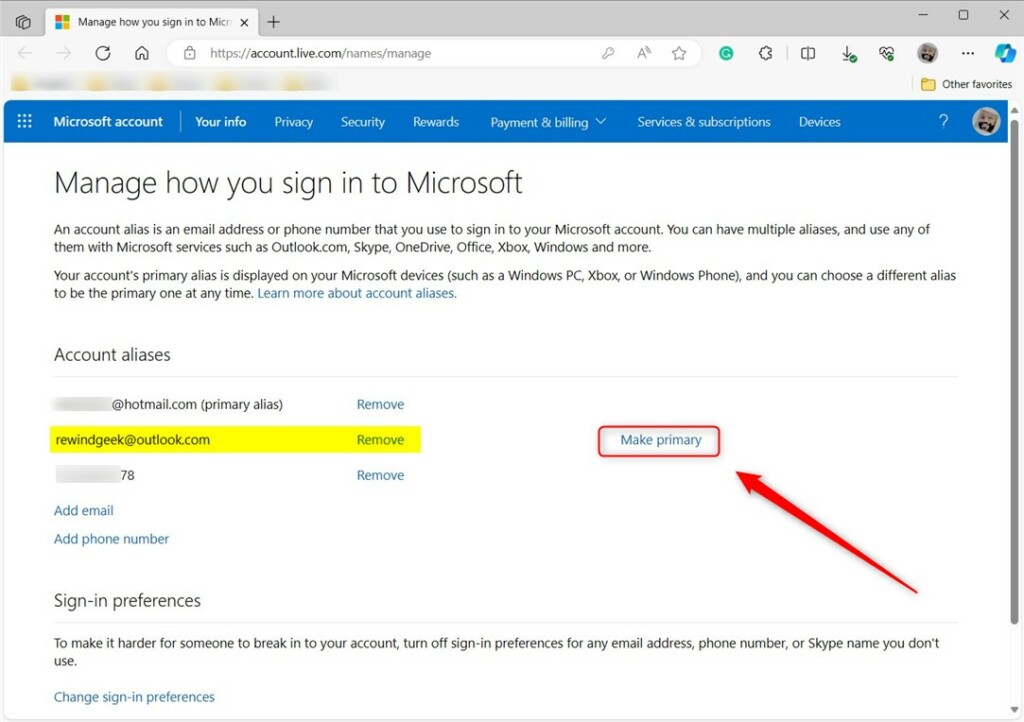
Under “Account aliases,” select the email address you wish to make primary. Then click the “Make primary” link to change it.
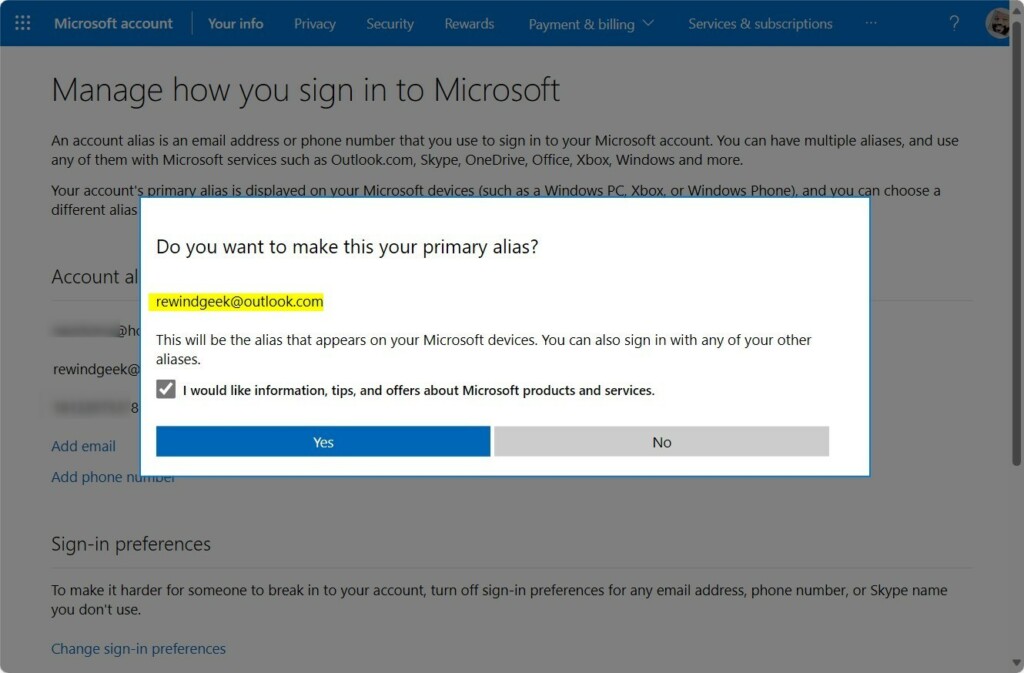
A prompt will ask if you want to make the email address your primary alias. Click Yes.
You should see a confirmation that the change has been made. You can now use the new alias to sign into your Microsoft account devices. This includes your Windows computer.
What Happens When You Change Your Primary Alias?
After you change your primary alias, you can use the new email address or phone number to sign into all your Microsoft devices and services. Your old alias still works. But your new primary alias appears when you sign in.
Summary
Changing your primary alias for your Microsoft account is simple and quick. Whether you want to use a different email address or phone number, or you want to keep an old one while updating your primary sign-in method, this guide covers you. Just follow the steps outlined above. You can easily change your primary alias and use the new one to sign into your Microsoft account devices.
Reference:
Microsoft

Leave a Reply Cancel reply