


How to clear your Clipboard history in Windows 11
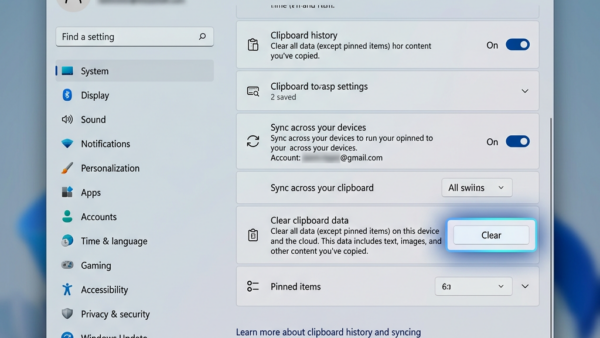
Clipboard history in Windows 11 lets you see and manage multiple items you've copied. When you copy text or an image, it normally disappears…
Step-by-step guides for Windows, Linux, networking and everything tech — written by experts, verified for accuracy.
Most recently published
Clipboard history in Windows 11 lets you see and manage multiple items you've copied. When you copy text or an image, it normally disappears…

Quick Assist in Windows 11 lets a trusted person remotely view and control your PC to help you fix problems. This built-in Windows tool…

Quick Assist in Windows 11 lets you remotely help someone with their PC. It's a built-in tool that allows you to see their screen…
Quick Assist in Windows 11 lets you remotely help others or get help on your PC from someone you trust. This built-in Windows tool…

Windows 11 Presence Sensing automatically locks your PC when you walk away and can wake it when you return. This built-in security feature uses…

Windows 11's Presence Sensing automatically wakes your PC when you approach, using built-in sensors to detect your presence. This feature allows your computer to…
Presence sensing in Windows 11 automatically turns off your screen when you walk away from your PC. This smart feature uses a presence sensor,…
Microsoft Store suggested search results in Windows 11 let you see app recommendations right in the Windows Search box. You can easily choose to…