
Do you wish your voice sounded clearer when you talk on calls using your Windows 11 computer? Voice Focus is a useful tool. It removes background noise and makes your voice stand out during video and audio chats. Why use it? Because people on the other end will hear you better.
Windows 11 also has Studio Effects. What happens when you use it? Your video lighting improves automatically. Unwanted sounds get reduced too. This is perfect when you need to look and sound your best during an important call.
What is Voice Focus?
Voice Focus helps you in several ways:
- It reduces background sounds like keyboard typing, computer fans, or traffic noise.
- It makes your voice clearer so others understand you better.
Your computer has two versions of Voice Focus:
- Basic version: Uses software to reduce background noise.
- Enhanced version: Uses smart AI technology on a special chip called a Neural Processing Unit (NPU) for even better noise canceling.
To get the best experience with Studio Effects and enhanced Voice Focus, your PC needs to be a Windows Copilot+ PC with an NPU.
How to Turn Voice Focus On or Off in Windows 11
Follow these simple steps to enable or disable Voice Focus:
- Open Settings. Click the Start button (Windows icon) and choose Settings. Or press Windows key + I on your keyboard.
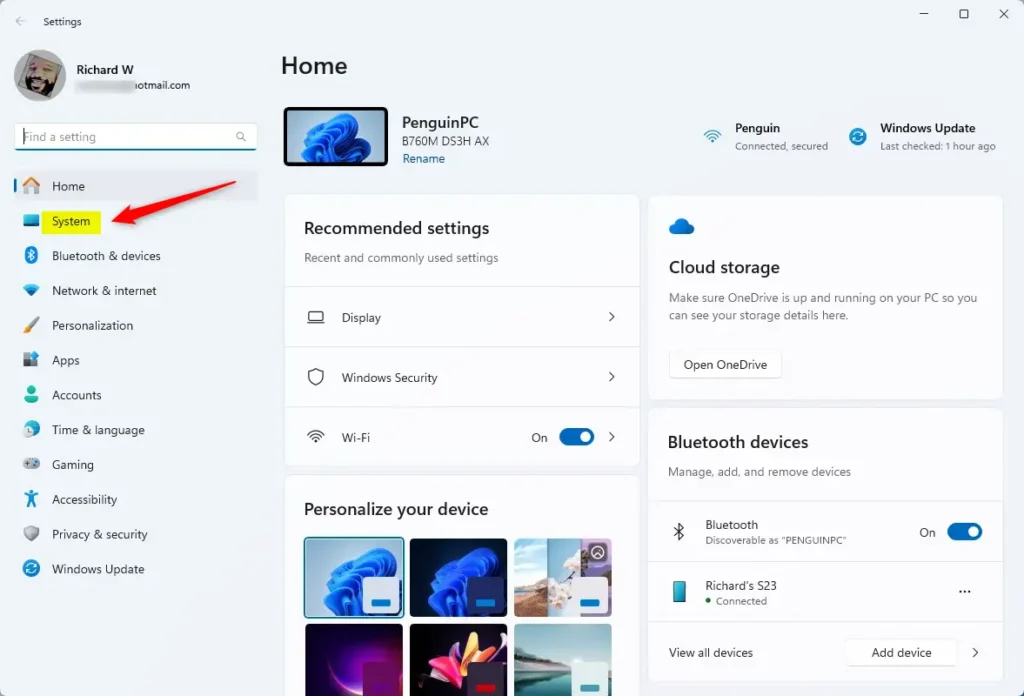
- In the Settings window, click on System on the left menu.
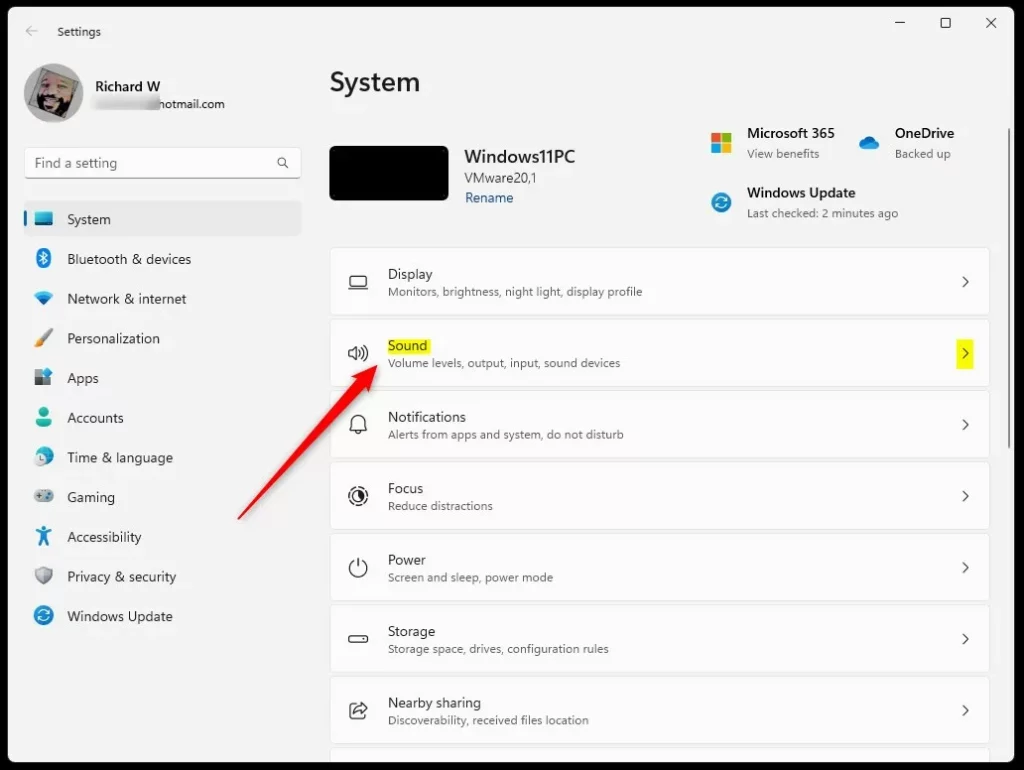
- Click on the Sound option on the right panel.
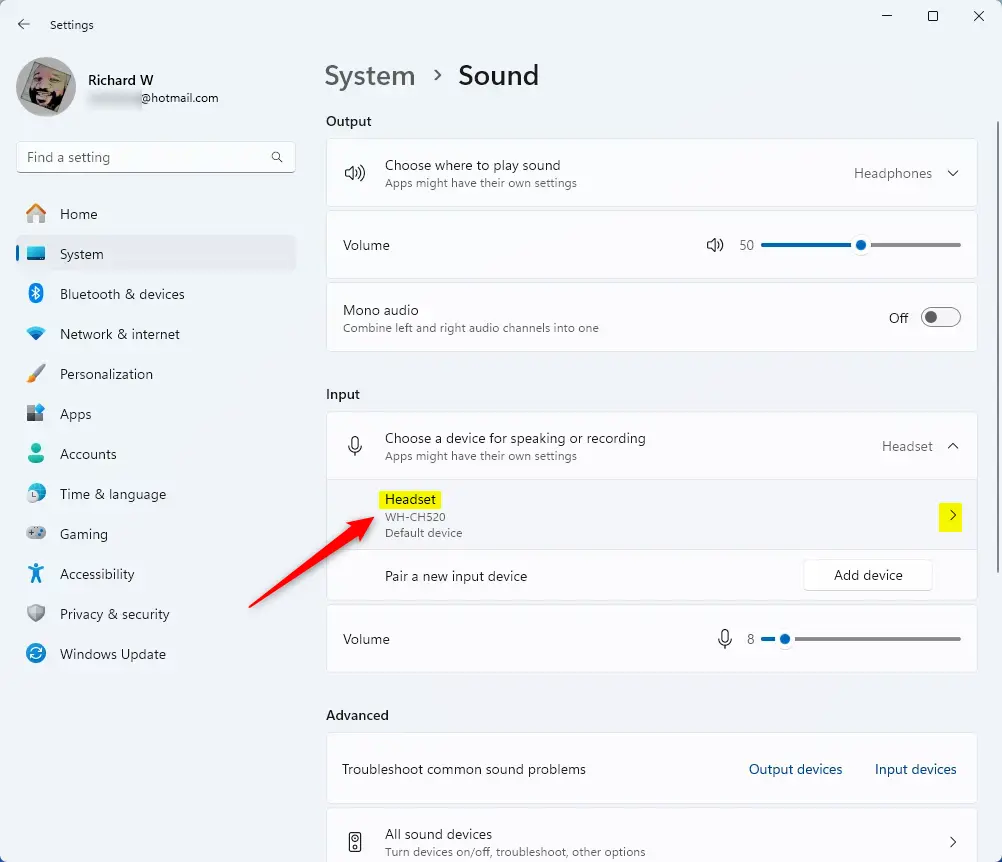
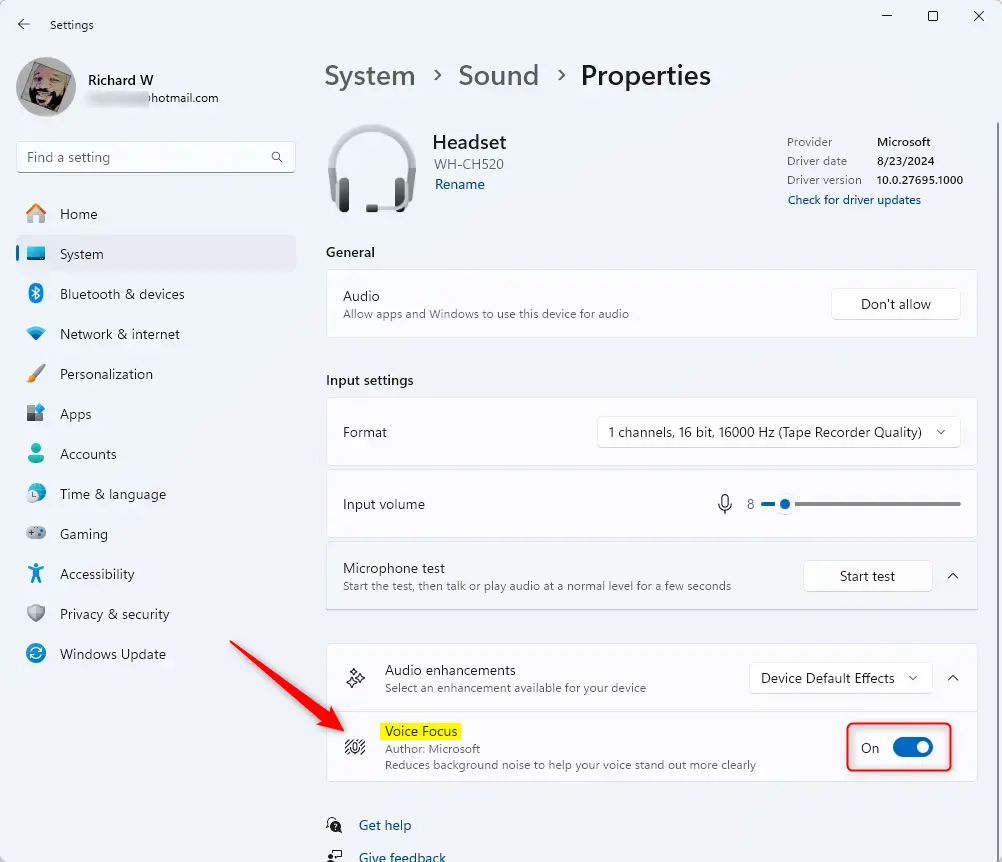
- Under Output or Input, click on your active sound device (like your microphone or speakers).
- Find the section called Audio enhancements and click to open it.
- Toggle the Voice Focus switch to turn it On or Off.
- Close the Settings app when you are done.
That’s all there is to it! Your voice should now sound clearer during your calls.
Extra Tips
You can also quickly turn Voice Focus on or off from the Quick Settings menu. Click the network, sound, or battery icon on the taskbar to open it.
Make sure your microphone is set up properly for the best experience.
If your PC supports it, try using Windows Studio Effects for better video calls with improved lighting and noise cancellation.
Learn More
For more details, check out the official Microsoft page on Windows Studio Effects.
Summary
- Voice Focus makes your voice clearer during calls by cutting out background noise.
- Studio Effects improve your video and sound automatically during calls.
- Some PCs with special AI chips (NPU) can use an advanced version of Voice Focus.
- You can easily turn Voice Focus on or off from the Settings app or Quick Settings.
Leave a Reply Cancel reply