How to Install RabbitMQ with Erlang/OTP on Ubuntu Linux

RabbitMQ is a tool that helps different computer programs “talk” to each other by passing messages back and forth. It is popular because it is fast, reliable, and handles complex tasks easily. Many businesses use it to manage things like automated email systems.
Install Erlang/OTP by adding its repository, importing the key, and running `sudo apt install erlang`. Then, add the RabbitMQ repository, import its key, and run `sudo apt install rabbitmq-server`. Finally, enable the management plugin with `sudo rabbitmq-plugins enable rabbitmq_management`.
Why install RabbitMQ?
If you have multiple applications that need to share data without crashing, RabbitMQ acts as a messenger. It ensures that messages are delivered correctly even if one part of your system is busy.
What happens when you are done?
Once you finish this guide, you will have a running message broker on your Ubuntu server. You will also have a web-based dashboard where you can monitor your data traffic and manage your server settings through your browser.
Install Erlang/OTP
RabbitMQ needs a foundation called Erlang/OTP to function. We want to use a recent version to ensure everything runs smoothly. Note: These steps require admin privileges.
sudo sh -c 'echo "deb https://packages.erlang-solutions.com/ubuntu $(lsb_release -sc) contrib" >> /etc/apt/sources.list.d/erlang.list'
Now, add the security key so your system trusts the new files.
wget https://packages.erlang-solutions.com/ubuntu/erlang_solutions.asc
sudo apt-key add erlang_solutions.asc
Finally, install the Erlang software.
sudo apt update
sudo apt install erlang
Add the RabbitMQ Repository
Now we add the RabbitMQ software to your system. Note: These steps require admin privileges.
sudo sh -c 'echo "deb https://dl.bintray.com/rabbitmq/debian $(lsb_release -sc) main" >> /etc/apt/sources.list.d/rabbitmq.list'
Add the security key for RabbitMQ.
wget -O- https://dl.bintray.com/rabbitmq/Keys/rabbitmq-release-signing-key.asc | sudo apt-key add -
wget -O- https://www.rabbitmq.com/rabbitmq-release-signing-key.asc | sudo apt-key add -
Now, install the RabbitMQ package itself.
sudo apt update
sudo apt install rabbitmq-server
Set RabbitMQ to turn on automatically whenever your computer starts.
sudo systemctl enable rabbitmq-server
sudo systemctl start rabbitmq-server
sudo systemctl stop rabbitmq-server
Enable the Web Management Console
You can manage your server through a simple website interface. Note: These steps require admin privileges.
sudo rabbitmq-plugins enable rabbitmq_management
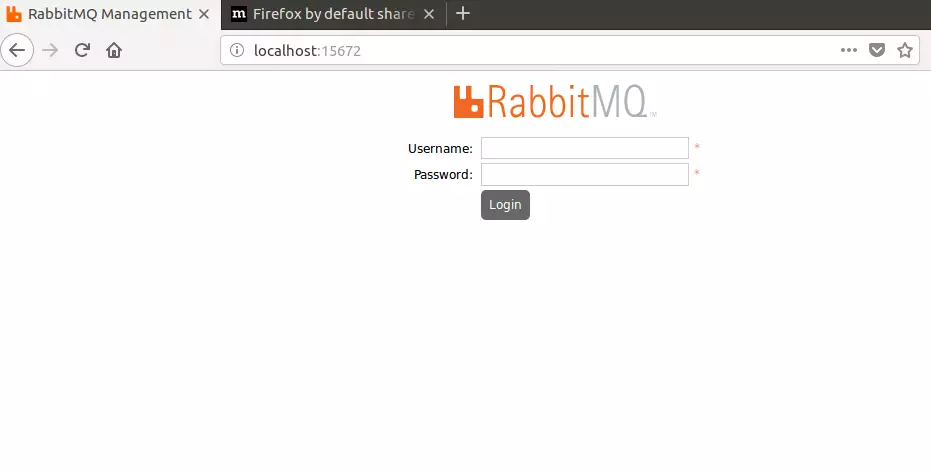
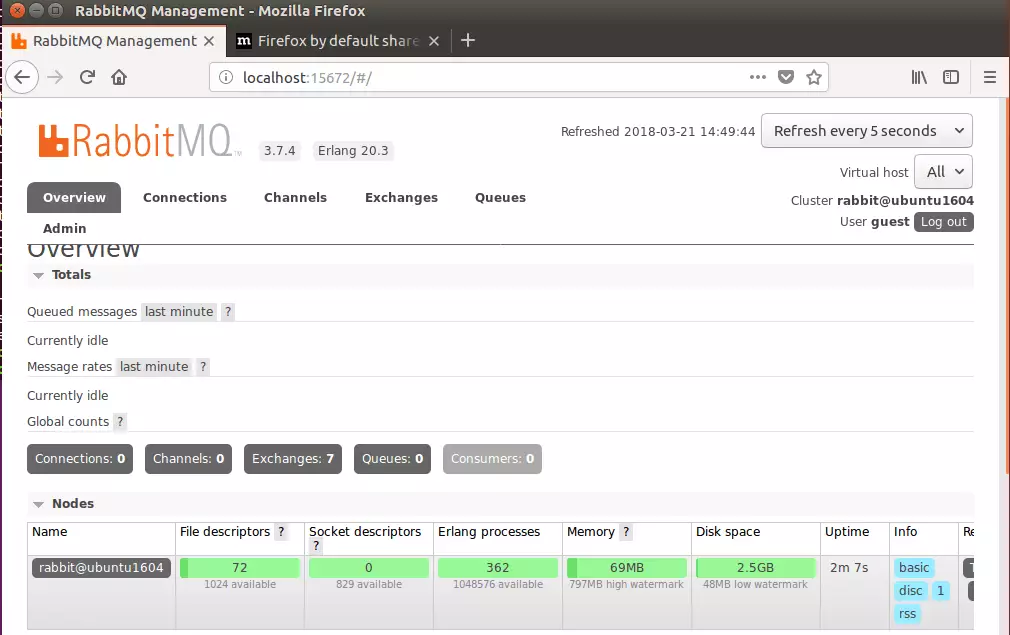
Open your web browser and type your server’s address followed by the port 15672. For example: http://your-server-ip:15672
You will see a login screen. Use the default credentials:
- Username: guest
- Password: guest
If you are using Ubuntu 18.04, you may need to download the files manually from these links: https://packages.erlang-solutions.com/erlang/ and https://www.rabbitmq.com/install-debian.html.
Summary
In this guide, we prepared your Ubuntu server by installing the Erlang foundation, added the RabbitMQ software repository, and enabled a user-friendly web dashboard. You are now ready to start sending messages between your applications.
Was this guide helpful?

About the Author
Richard
Tech Writer, IT Professional
Richard, a writer for Geek Rewind, is a tech enthusiast who loves breaking down complex IT topics into simple, easy-to-understand ideas. With years of hands-on experience in system administration and enterprise IT operations, he’s developed a knack for offering practical tips and solutions. Richard aims to make technology more accessible and actionable. He's deeply committed to the Geek Rewind community, always ready to answer questions and engage in discussions.




thanks! this was clear, and even better than that on the rabbitMQ website
try install erlang:
The following packages have unmet dependencies:
erlang : Depends: erlang-diameter but it is not going to be installed
Depends: erlang-eldap but it is not going to be installed
Depends: erlang-ftp but it is not going to be installed
Depends: erlang-tftp but it is not going to be installed
Recommends: erlang-jinterface but it is not going to be installed
Recommends: erlang-ic-java but it is not going to be installed
Recommends: erlang-mode but it is not going to be installed
Recommends: erlang-src but it is not going to be installed
Recommends: erlang-examples but it is not going to be installed
esl-erlang : Depends: libwxbase2.8-0 but it is not installable or
libwxbase3.0-0 but it is not installable or
libwxbase3.0-0v5 but it is not going to be installed
Depends: libwxgtk2.8-0 but it is not installable or
libwxgtk3.0-0 but it is not installable or
libwxgtk3.0-0v5 but it is not going to be installed
Depends: libsctp1 but it is not going to be installed
Recommends: erlang-mode but it is not going to be installed
libssl-dev : Depends: libssl1.0.0 (= 1.0.2g-1ubuntu4.13) but 1.0.2g-1ubuntu4.12 is to be installed
Recommends: libssl-doc but it is not going to be installed
E: Unmet dependencies. Try ‘apt-get -f install’ with no packages (or specify a solution).
How to install ssl in rabbitmq mqtt?
superb
Reading package lists… Done
Building dependency tree
Reading state information… Done
rabbitmq-server is already the newest version (3.7.10-1).
0 upgraded, 0 newly installed, 0 to remove and 0 not upgraded.
1 not fully installed or removed.
After this operation, 0 B of additional disk space will be used.
Do you want to continue? [Y/n] Y
Setting up rabbitmq-server (3.7.10-1) …
dpkg: error processing package rabbitmq-server (–configure):
installed rabbitmq-server package post-installation script subprocess returned error exit status 1
Errors were encountered while processing:
rabbitmq-server
E: Sub-process /usr/bin/dpkg returned an error code (1)
Well after spending 3 hours trying to get Rabbit installed this is my savior. Thank you!!
Great Article..
Easy & simple steps to install RabbitMQ.