The Ultimate MyCollab Ubuntu Installation Tutorial

MyCollab is a tool for managing projects and customer relationships. It helps teams track tasks, issues, and documents in one place. It is a web-based platform that works on many devices.
Why use MyCollab? It helps businesses stay organized and keeps team communication in one central hub.
What happens when done? You will have a private project management site running on your own server.
To learn more about the platform, visit their Homepage.
Install OpenJDK
MyCollab runs on Java. We will use the free version called OpenJDK. You need administrative access to run these commands.
sudo apt update
sudo apt-get install openjdk-8-jdk
Once finished, Java is ready to go.
Install ubuntu-16-04-18-04/" class="sal-link" rel="noopener" target="_blank" data-sal-id="15524">MariaDB Database Server
MyCollab needs a database to store its information. MariaDB is a great, free choice. You need administrative access to run these commands.
sudo apt-get install mariadb-server mariadb-client
Use these commands to make sure the database runs when your computer turns on.
For Ubuntu 16.04 LTS:
sudo systemctl stop mysql.service
sudo systemctl start mysql.service
sudo systemctl enable mysql.service
For Ubuntu 18.10 and 18.04 LTS:
sudo systemctl stop mariadb.service
sudo systemctl start mariadb.service
sudo systemctl enable mariadb.service
Next, secure your database with a password by running this command:
sudo mysql_secure_installation
Follow the prompts on your screen. Press Enter for the current password, then type ‘Y’ for all the security questions to keep your data safe.
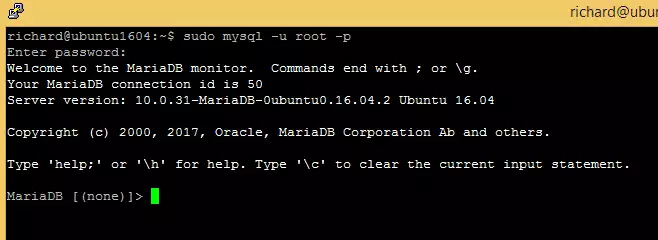
Test the installation by running this command:
sudo mysql -u root -p
Create MyCollab Database
Now, create a space for MyCollab to live. Log in to your database:
sudo mysql -u root -p
Create the database:
CREATE SCHEMA mycollab DEFAULT CHARACTER SET utf8mb4;
Create a user for the database:
CREATE USER 'mycollabuser'@'localhost' IDENTIFIED BY 'new_password_here';
Give that user permission to manage the database:
GRANT ALL ON mycollab.* TO 'mycollabuser'@'localhost' IDENTIFIED BY 'user_password_here' WITH GRANT OPTION;
Save and exit:
FLUSH PRIVILEGES;
EXIT;
Enable the MyCollab Site
Download the latest version of the software:
wget https://downloads.sourceforge.net/project/mycollab/MyCollab_5.3.4/MyCollab-All-5.3.4.zip
unzip MyCollab-All-5.3.4.zip
Move the files to your home folder:
mv MyCollab-5.3.4/ ~/mycollab
Start the installation process:
sh ~/mycollab/bin/startup.sh
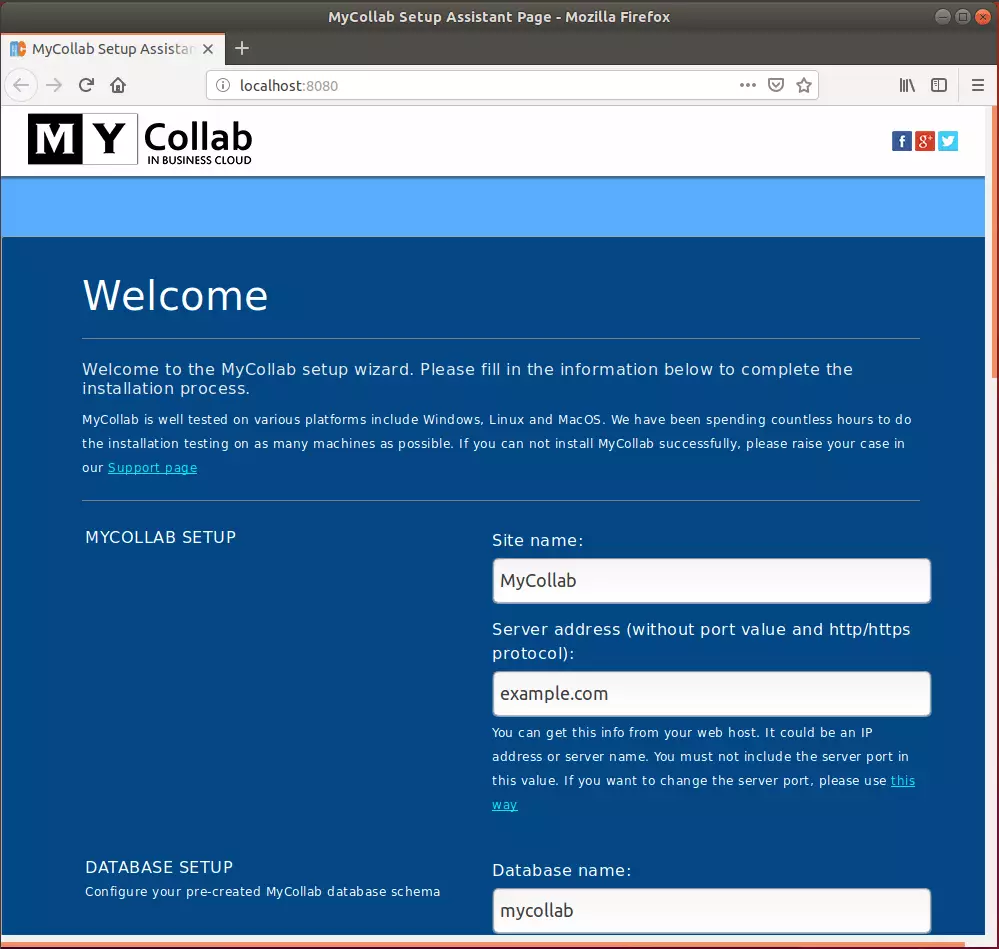
Open your web browser to the setup page. Enter your site name, web address, and the database details you created earlier. Click the Setup button.
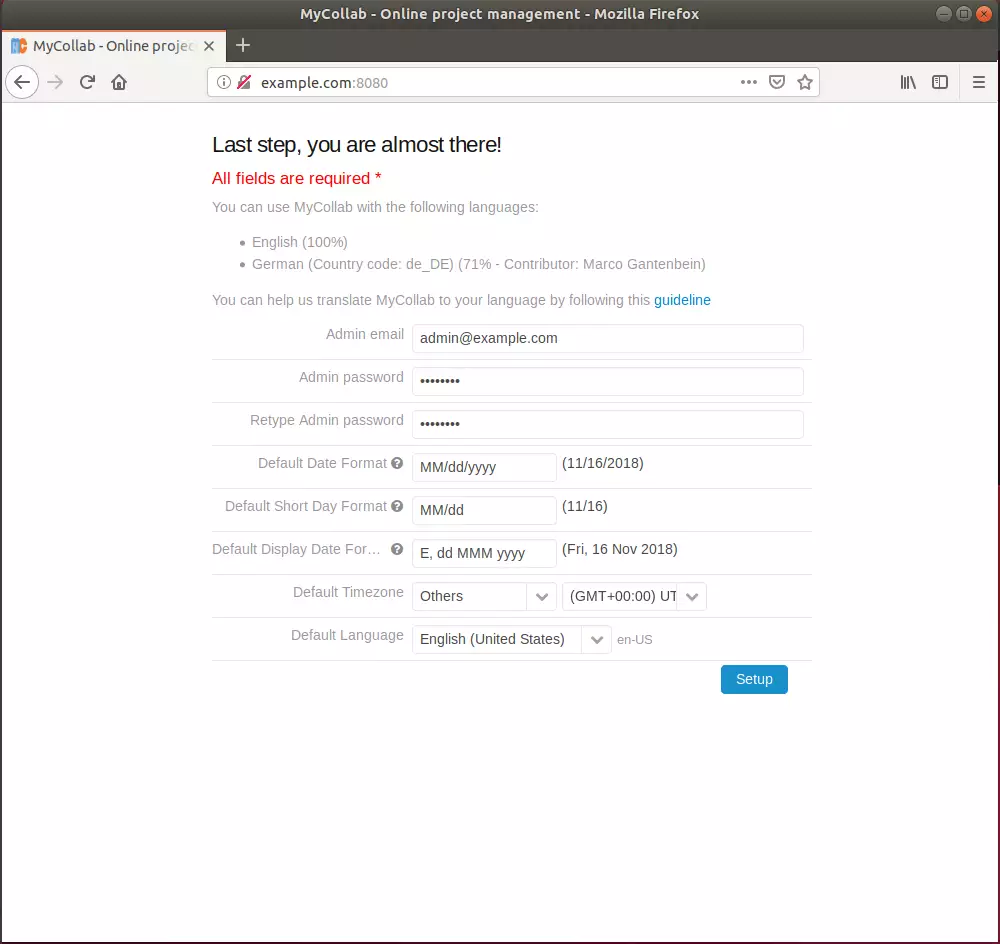
Create your administrator account on the next screen.
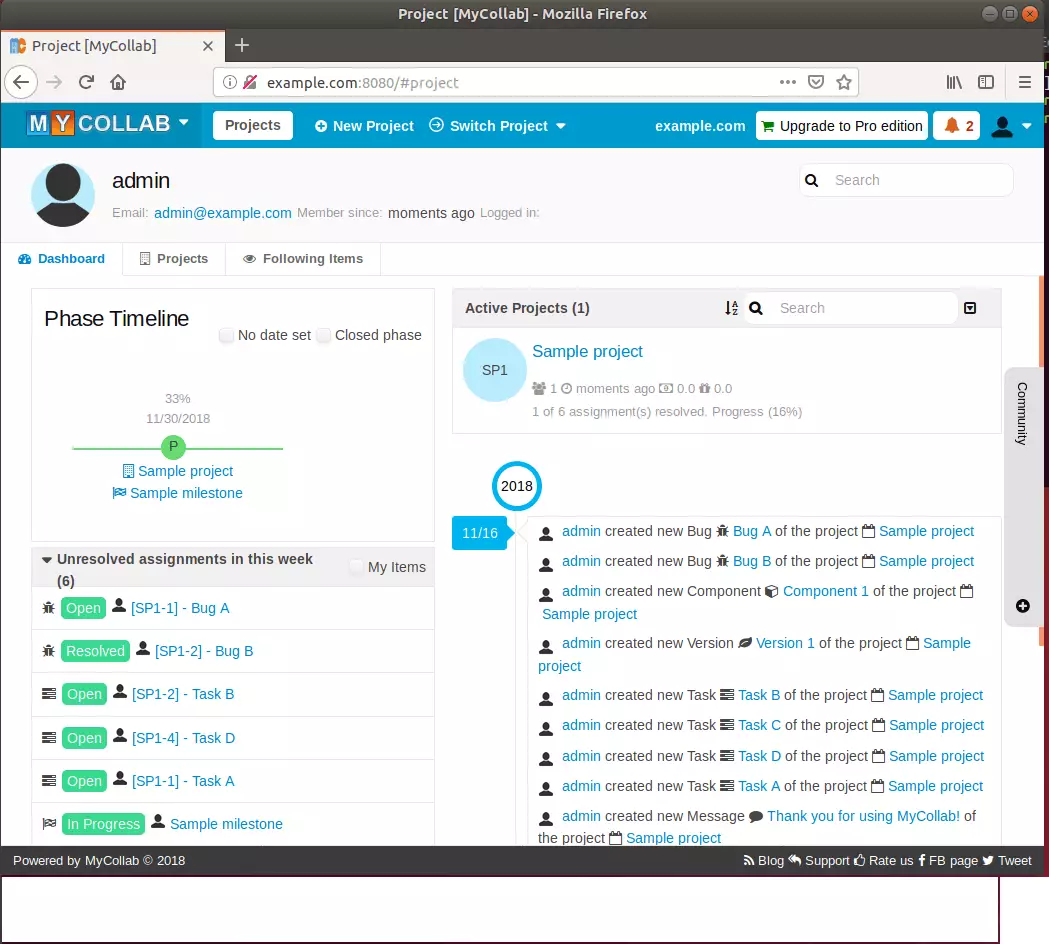
Your installation is now complete.
Summary
You have successfully installed MyCollab on your Ubuntu system. By setting up OpenJDK, MariaDB, and the MyCollab software, you now have a professional tool to manage projects and track team progress directly from your own server.
[Y/n]
[Y/n]
[Y/n]
[Y/n]
[Y/n]
What are the system requirements for installing MyCollab on Ubuntu?
How do I install OpenJDK on Ubuntu for MyCollab?
What steps are needed to secure the MariaDB installation?
How can I create a database for MyCollab in MariaDB?
Is MyCollab suitable for small businesses?
Was this guide helpful?

About the Author
Richard
Tech Writer, IT Professional
Richard, a writer for Geek Rewind, is a tech enthusiast who loves breaking down complex IT topics into simple, easy-to-understand ideas. With years of hands-on experience in system administration and enterprise IT operations, he’s developed a knack for offering practical tips and solutions. Richard aims to make technology more accessible and actionable. He's deeply committed to the Geek Rewind community, always ready to answer questions and engage in discussions.



No comments yet — be the first to share your thoughts!