How to Stop Dropbox from Starting Automatically on Windows 11

Dropbox is a great tool for keeping your files synced across all your devices. However, it likes to open itself every time you turn on your computer. This can slow down how fast your PC starts up. If you do not use Dropbox every day, you might want to stop it from launching automatically.
Why do this? Stopping apps from starting on their own helps your computer boot up faster and keeps your background processes clean.
What happens when done? Your computer will start up without opening Dropbox. You can still open the app manually whenever you actually need it.
When you install Dropbox on Windows 11, it adds an icon to your taskbar. Closing it manually only works until the next time you restart your PC.
Method 1Using Task Manager
You can use the built-in Task Manager to control which apps launch when you sign in.
- Click the Start button.
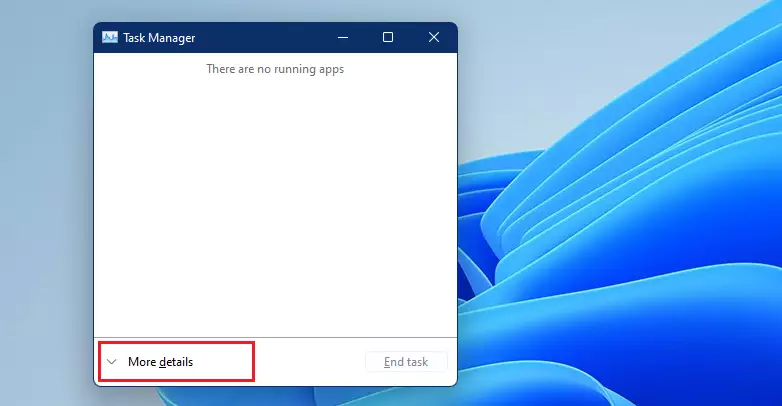
- Search for Task Manager and open it.
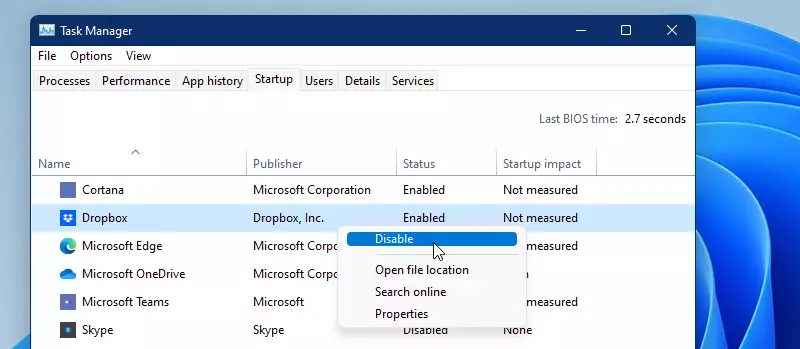
- Click the Startup tab at the top. If you do not see tabs, click More details first.
- Find Dropbox in the list.
- Right-click on it and select Disable.
Method 2Using Dropbox Settings
You can also change this setting directly inside the Dropbox app.
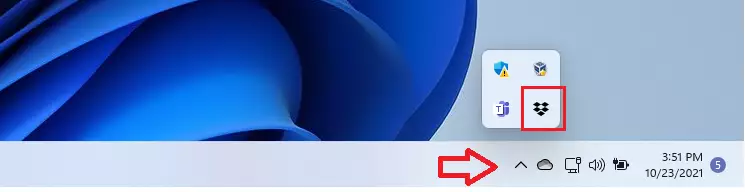
- Click the upward arrow on your taskbar to see your hidden icons.
- Right-click the Dropbox icon.
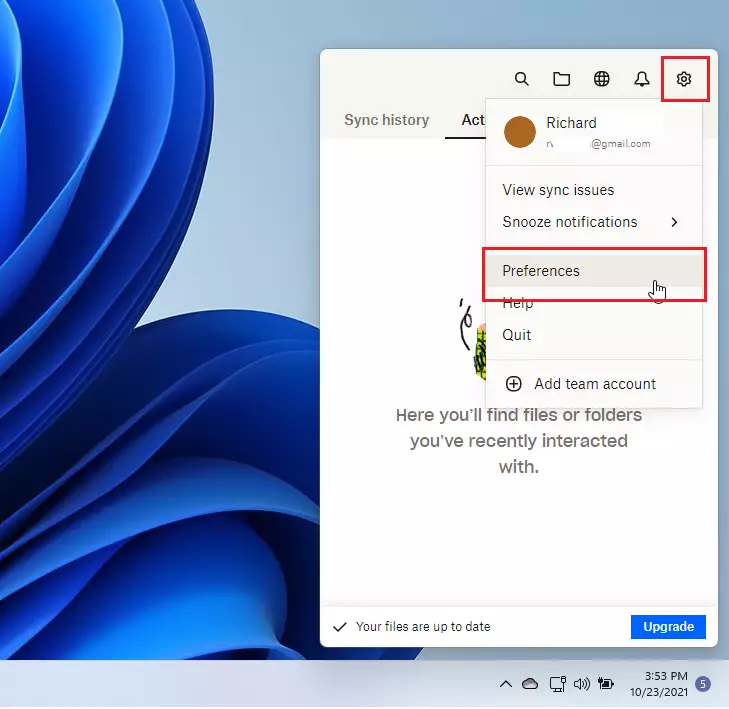
- Click the Settings gear icon in the top right corner.
- Select Preferences.
- Go to the General tab.
- Uncheck the box that says Start Dropbox on system startup.
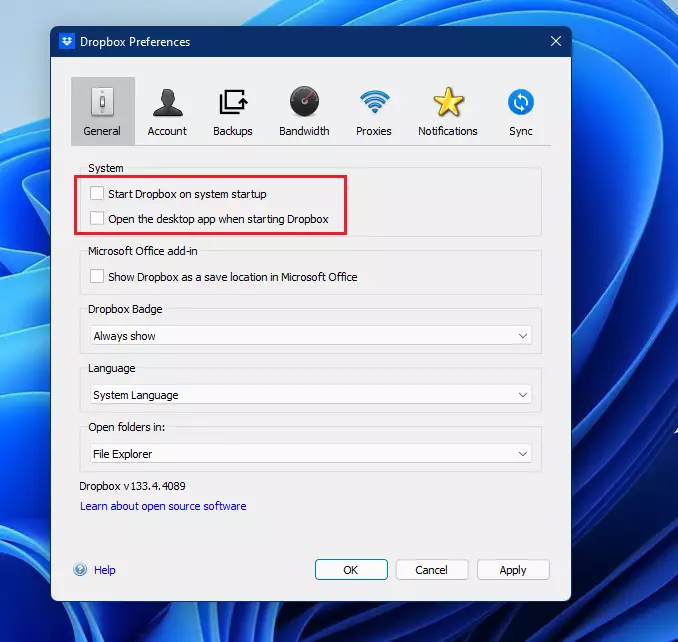
- Click OK to save your changes.
Summary
To stop Dropbox from opening at login, you can either disable it through the Windows Task Manager or uncheck the startup option in the Dropbox Preferences menu. Both methods ensure that Dropbox stays closed until you decide to open it yourself, which helps your computer start up more quickly.
Was this guide helpful?

About the Author
Richard
Tech Writer, IT Professional
Richard, a writer for Geek Rewind, is a tech enthusiast who loves breaking down complex IT topics into simple, easy-to-understand ideas. With years of hands-on experience in system administration and enterprise IT operations, he’s developed a knack for offering practical tips and solutions. Richard aims to make technology more accessible and actionable. He's deeply committed to the Geek Rewind community, always ready to answer questions and engage in discussions.


Unfortunately, the word ‘open’ and ‘startup’ have been interchanged in this article. The Application ‘starts’ and one ‘opens’ the DropBox folder. Why is this subtle inference important, because this article is about ‘starting’ Dropbox. Yet, the search engine leads us to believe that it is about ‘opening.’