
This article explains how to remove devices associated with your Microsoft Store from your Microsoft account.
The Microsoft Store is an app store for Windows devices. It allows users to browse, download, and install various applications, games, and software on their Windows devices.
The Microsoft Store can be used on up to 10 devices. If you can’t download apps and games, your Microsoft Store device limit has been reached. To resolve this issue, unlink a device from your Microsoft account, go to the Microsoft Store, and try again.
Below is how to remove or delete a device associated with the Microsoft Store from your Microsoft account.
Delete a Microsoft Store device from your Microsoft account
As mentioned, you can have up to 10 devices associated with the Microsoft Store. If you reach the limit, you must delete some devices to be able to download apps again.
Here’s how to do it.
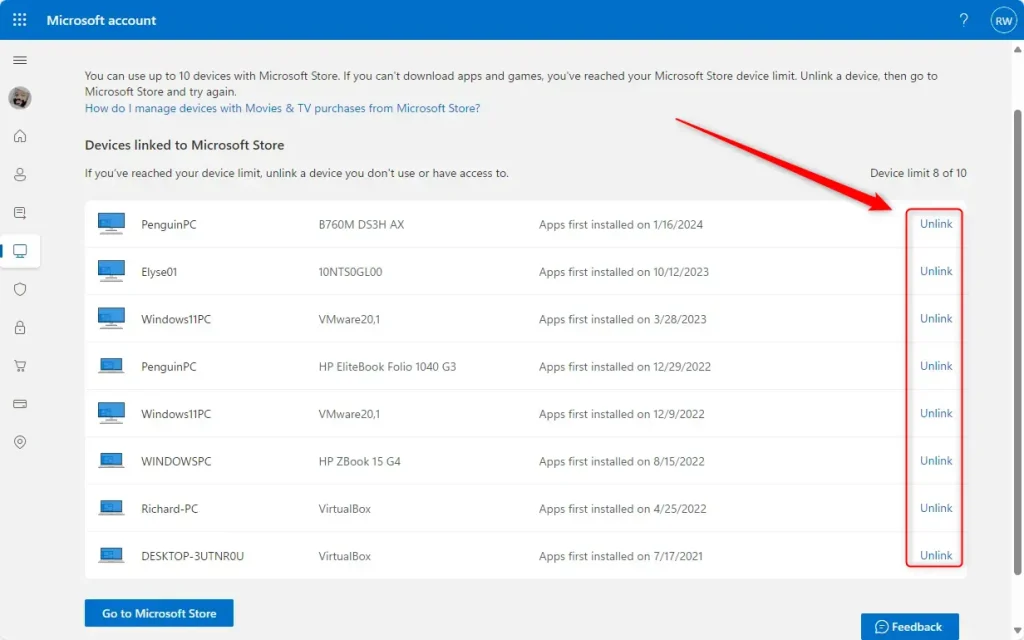
First, go to the Microsoft Store device management page in your Microsoft account.
Then, look at the list of devices and click Unlink to remove a device associated with the Microsoft Store.
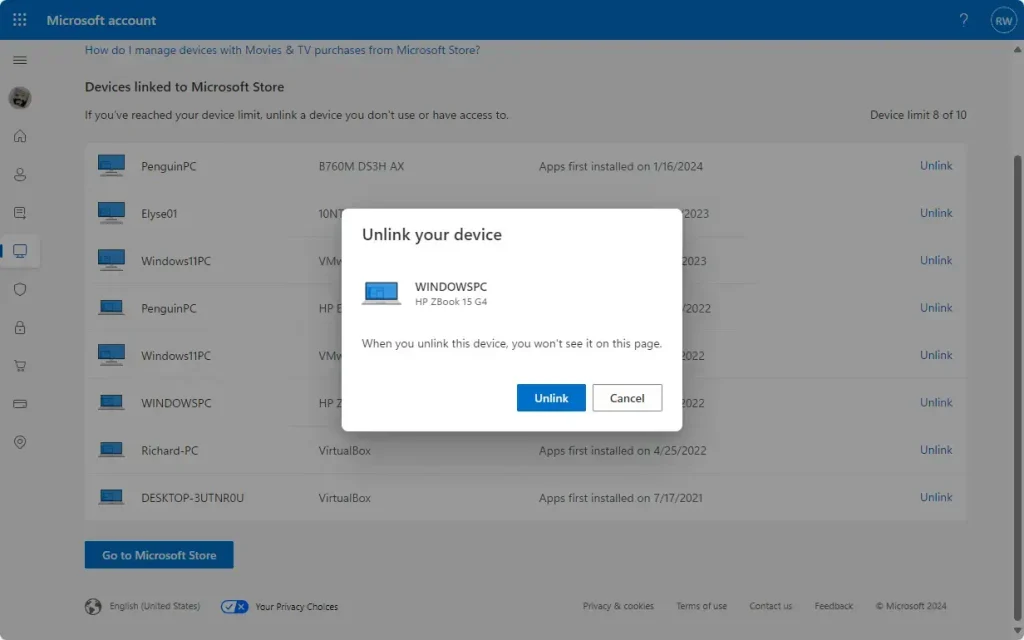
Confirm by clicking the “Unlink” button.
That should do it!
Conclusion:
- Managing your Microsoft Store devices is crucial for maintaining the flexibility to download and install apps across your Windows devices.
- By following the steps outlined above, you can efficiently unlink unnecessary devices from your Microsoft account, allowing you to stay within the 10-device limit and continue to access the Microsoft Store.
- If you encounter any challenges or have suggestions for improving this guide, please share your feedback via the comments section below.
Leave a Reply Cancel reply