How to Install Cockpit Web Console on Ubuntu Linux

Install the Cockpit web console on Ubuntu Linux to manage your server through a web browser.
Cockpit is a free, open-source web-based graphical interface that simplifies server administration tasks. It allows you to manage services, storage, networking, and more without needing to use the command line.
This guide details how to install Cockpit on Ubuntu 22.04 LTS, a popular long-term support release. You can also apply these steps to other recent Ubuntu versions.
With Cockpit, you gain a visual dashboard for monitoring and controlling your server’s performance and configurations.
Install Cockpit by running `sudo apt update` and `sudo apt install cockpit cockpit-podman` in the terminal. Then, enable and start the service with `sudo systemctl enable –now cockpit`. Finally, access it in your browser at `http://localhost:9090`.
Install Cockpit web interface
You can install the Cockpit web interface to manage Ubuntu Linux servers right from your web browsers.
Here’s how to do it.
The Cockpit packages are already in Ubuntu’s default repositories, so you won’t need to add any extra ones.
To install Cockpit, run the commands below.
sudo apt update
sudo apt-get install cockpit
sudo apt-get install cockpit-podman
After installing, you can enable Cockpit services so they start when your system boots.
sudo systemctl start cockpit
sudo systemctl enable cockpit
To confirm Cockpit is installed and running, run the command below.
systemctl status cockpit
Cockpit listens on network port 9090 by default. If you’ve enabled the Ubuntu firewall, you’ll want to permit traffic to that port.
Run the command below to do that.
sudo ufw allow 9090
sudo ufw allow 80
sudo ufw reload
Once you’ve completed all the steps, open your browser and navigate to your server’s hostname or IP address, followed by port # 9090.
http://localhost:9090
You should then see the Cockpit login page. Enter your server admin credentials and sign in.
Manage your server from the dashboard.
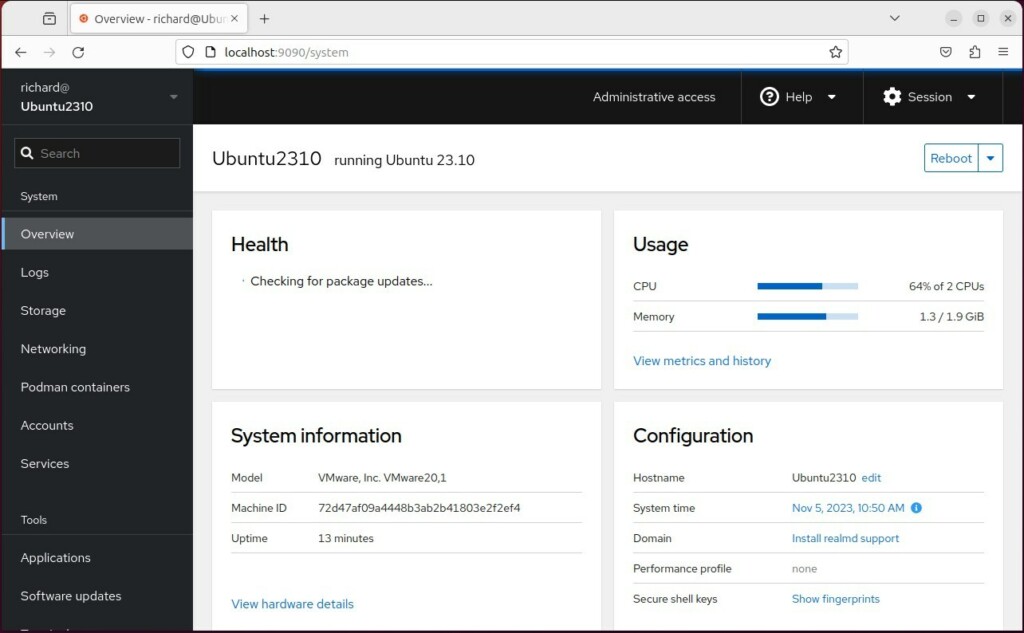
That should do it.
Conclusion:
- Cockpit provides an easy and intuitive way to manage Ubuntu Linux servers using a web-based interface, making it accessible to novice and experienced users.
- With Cockpit, users can start containers, configure networks, manage storage, inspect logs, and handle most system settings across servers from a user-friendly interface.
- Installing and enabling Cockpit on Ubuntu Linux involves running a few straightforward commands in the terminal. Once set up, users can access it through a web browser to start managing their servers efficiently.
Was this guide helpful?

About the Author
Richard
Tech Writer, IT Professional
Richard, a writer for Geek Rewind, is a tech enthusiast who loves breaking down complex IT topics into simple, easy-to-understand ideas. With years of hands-on experience in system administration and enterprise IT operations, he’s developed a knack for offering practical tips and solutions. Richard aims to make technology more accessible and actionable. He's deeply committed to the Geek Rewind community, always ready to answer questions and engage in discussions.


No comments yet — be the first to share your thoughts!