How to Simulate Right-Click in Ubuntu Linux


Simulating a right-click in Ubuntu Linux opens shortcut menus when your mouse or touchpad lacks a physical right button. Ubuntu 22.04 LTS and newer include built-in settings to perform this action using only the left mouse button.
Hold the left mouse button down to simulate a right-click. Access this option by going to System Settings, then Accessibility, and enabling “Simulated Secondary Click” under Click Assist. You can adjust the delay before the click registers.
How to simulate right-click with the left mouse button in Ubuntu Linux
Simulated secondary clicking lets you use your left mouse button to open context menus in Ubuntu Linux. You can turn on this feature in the Accessibility settings by changing the mouse click behavior to use a long press of the left button, making it easy to open menus if you use a single-button mouse or have trouble pressing the physical right button.
Enabling or disabling this functionality takes only a few moments.
Ubuntu centralizes most of its configuration options. Managing everything from system setups to user creation happens inside the System Settings panel.
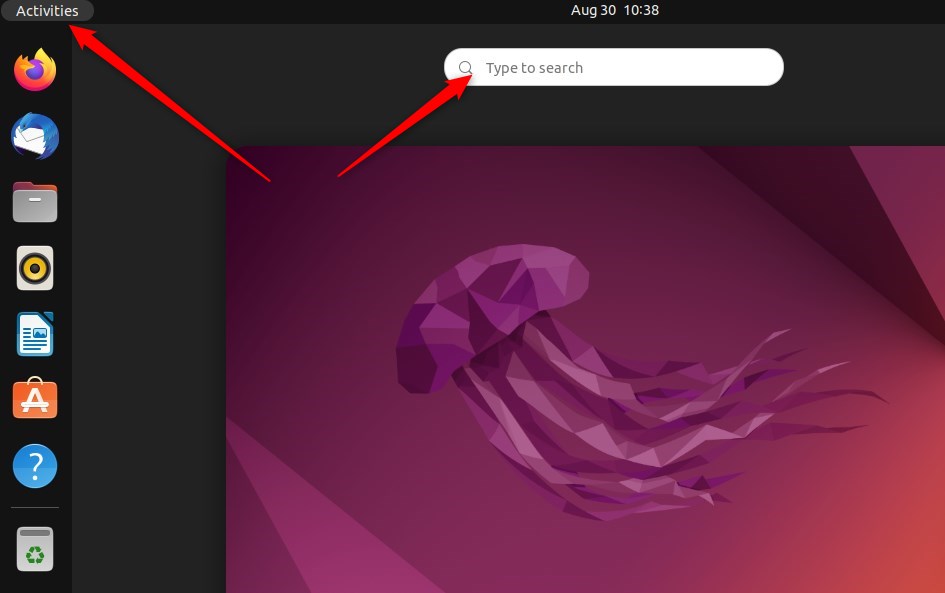
Alternatively, click the System menu located at the top-right corner of the desktop bar.
Choose Settings from the System menu, as highlighted below.
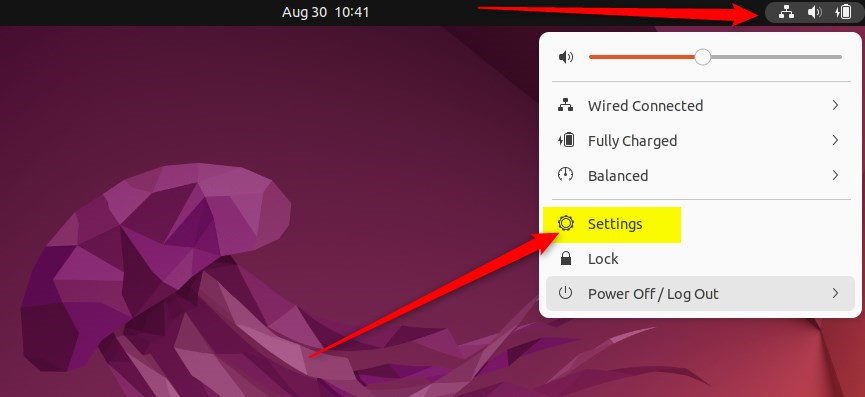
Open the panel by clicking the Settings app, then select the Accessibility tile.
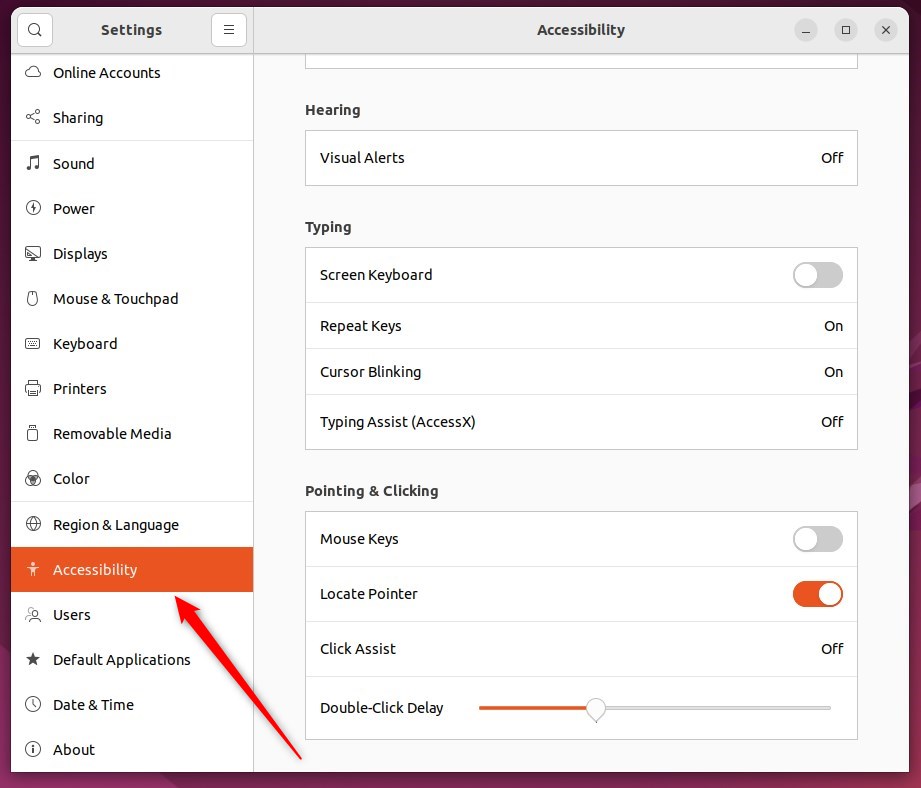
Open Settings, select Accessibility, look under Pointing & Clicking, and select Click Assist.
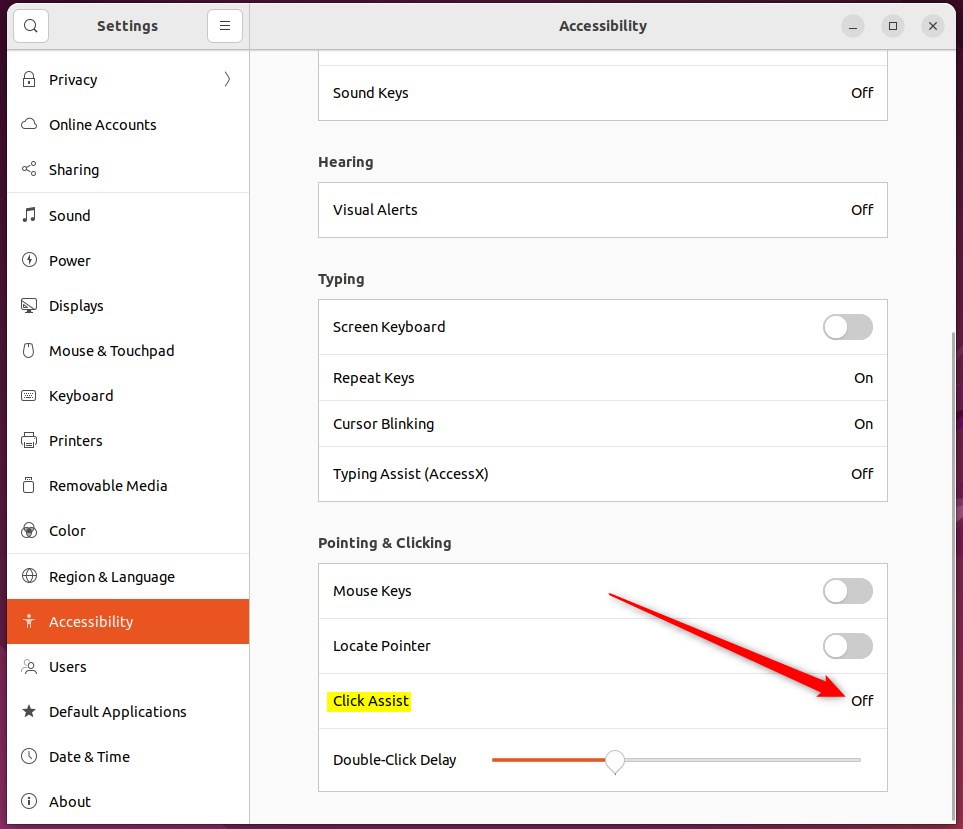
Toggle the Simulated Secondary Click switch to the On position within the Click Assist pop-up window.
Flipping the switch back to the Off position turns off the feature.
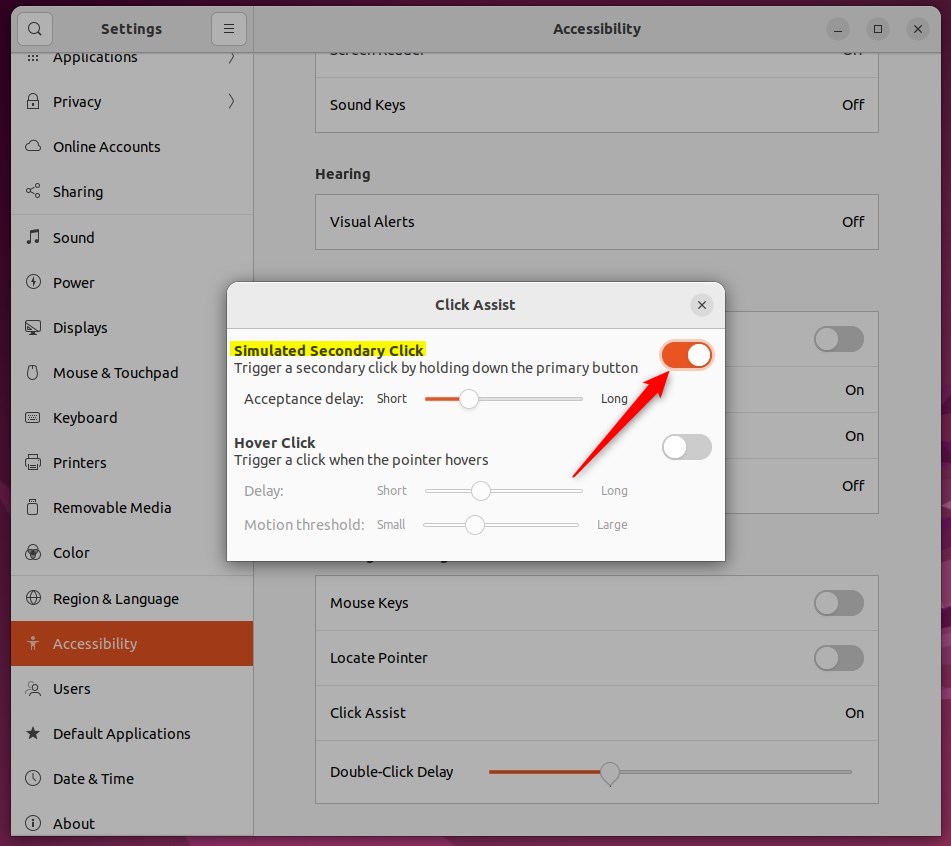
Adjusting the Acceptance delay changes the required hold time before the system registers a right-click.
Closing the Settings app finishes the configuration process.
Conclusion:
- Simulated Secondary Click allows users to simulate right-click actions by holding down the left mouse button
- Changing the Acceptance delay can customize the duration required to hold down the left mouse button before it's recognized as a right click
- Ubuntu Linux's centralized System Settings panel provides an accessible location to toggle the Simulated Secondary Click feature on or off
Was this guide helpful?

About the Author
Richard
Tech Writer, IT Professional
Richard, a writer for Geek Rewind, is a tech enthusiast who loves breaking down complex IT topics into simple, easy-to-understand ideas. With years of hands-on experience in system administration and enterprise IT operations, he’s developed a knack for offering practical tips and solutions. Richard aims to make technology more accessible and actionable. He's deeply committed to the Geek Rewind community, always ready to answer questions and engage in discussions.



No comments yet — be the first to share your thoughts!