
Why would you want to change Copilot’s voice language? Microsoft Copilot is an AI assistant that helps you with tasks and answers questions. It can talk to you using voice. By default, it tries to figure out what language you speak. But you can pick a specific language if you want.
What happens when you change the voice language? Copilot will speak to you in the language you choose instead of trying to auto-detect it.
This guide shows you how to change the language Copilot uses to talk to you. You can do this in Microsoft Edge, on the Copilot website, and in Windows 11.
Microsoft Copilot uses smart speech recognition and language processing to understand what you say and have conversations with you. You can use voice commands to talk to it naturally.
Right now, Copilot is set to auto-detect your voice language by default. But you can tell it to always use a specific voice language if you want.
Helpful resources:
- Using Copilot Voice with Microsoft Copilot – Microsoft Support
- Supported regions and languages in Microsoft Copilot – Microsoft Support
Method One: Change Voice Language in Copilot Settings
- Open the copilot.microsoft.com website or the Copilot app on Windows 11.
- Sign in with your Microsoft account if you want to save your settings.
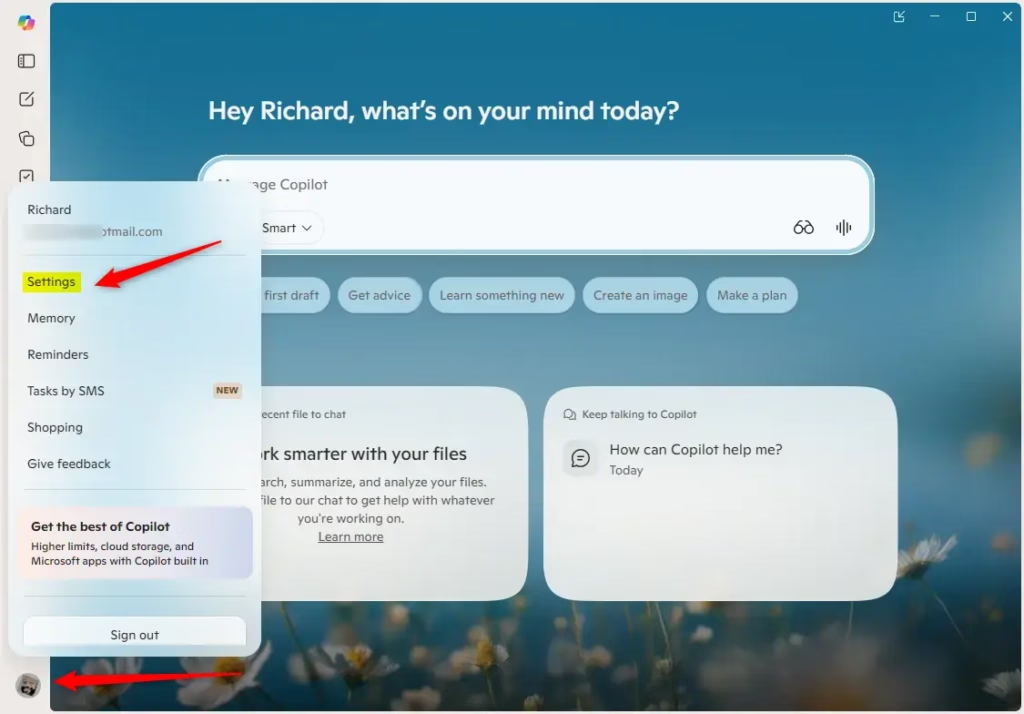
- In the app (full view), click the Account button on the left side. Then click Sign in.
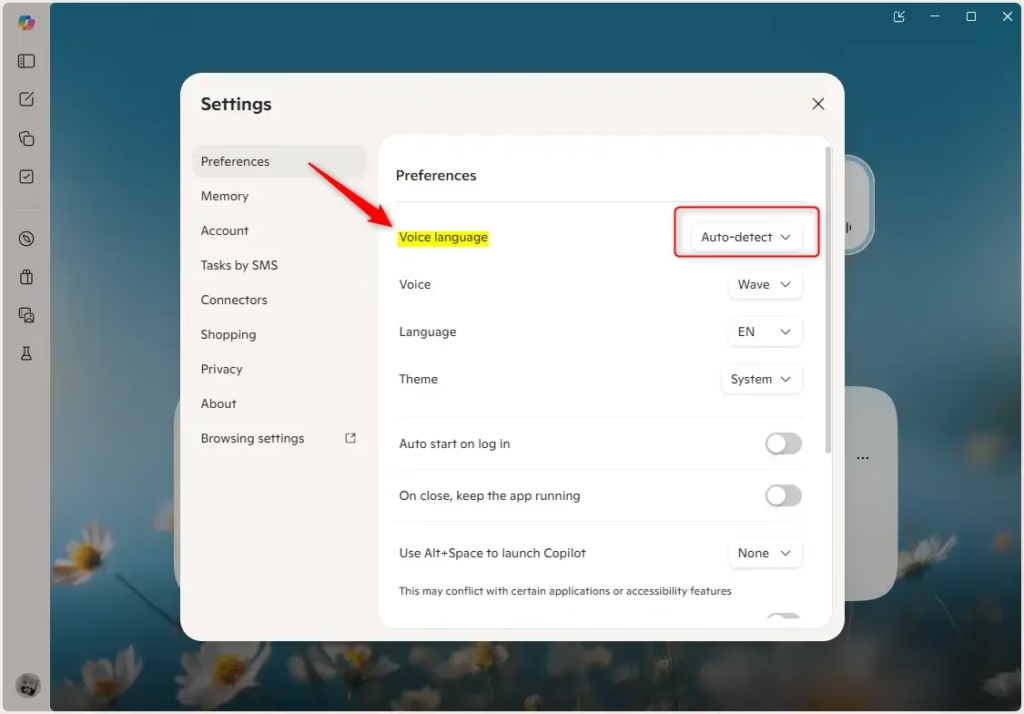
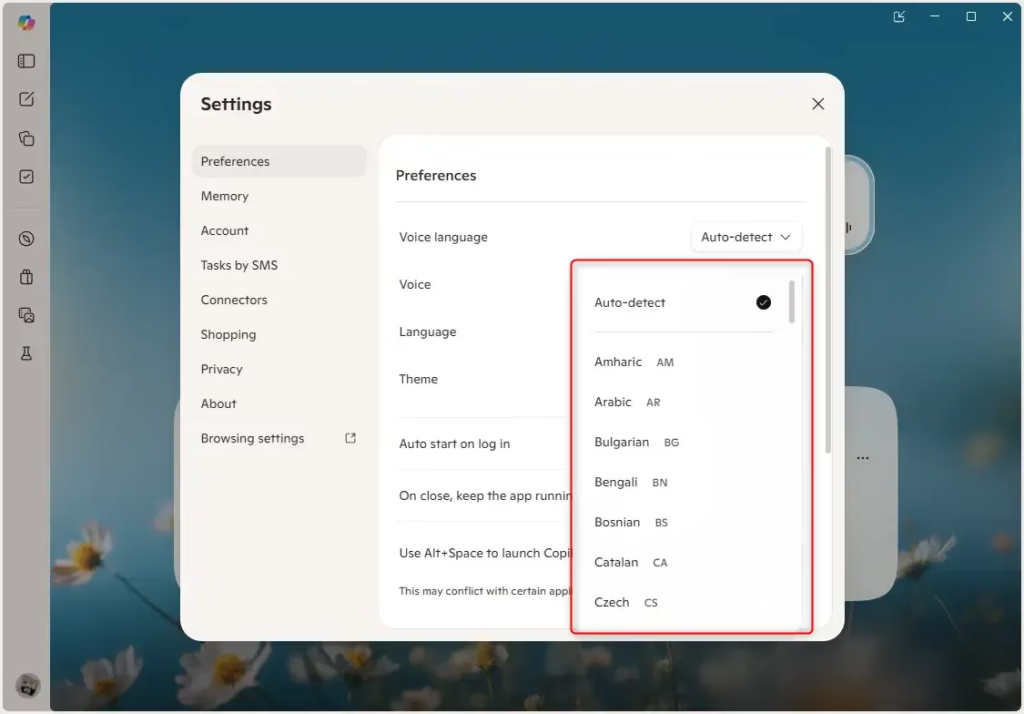
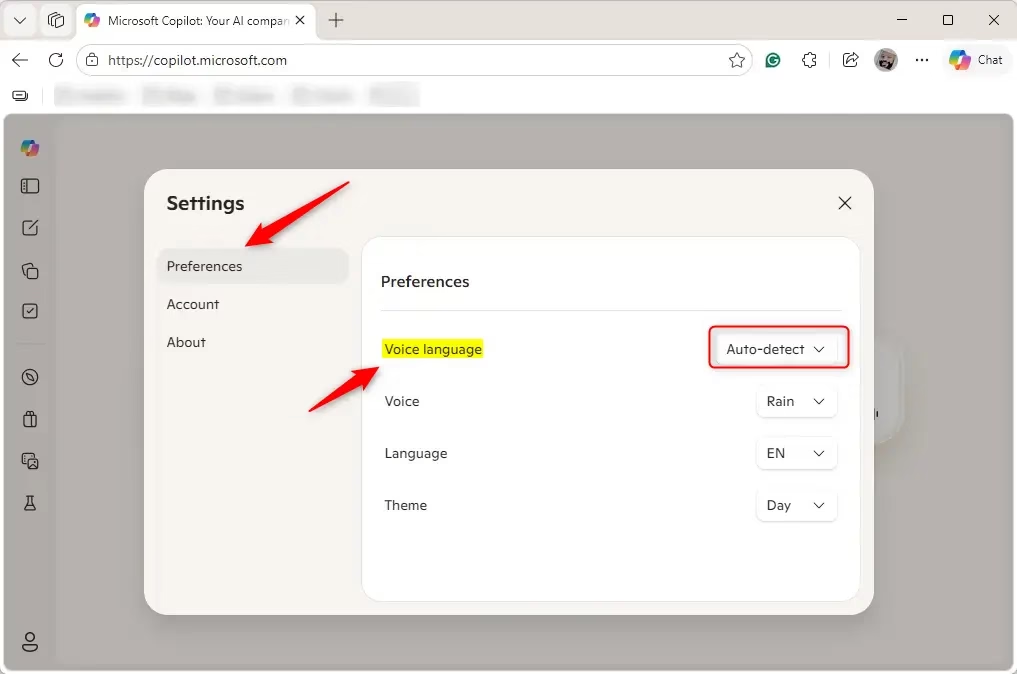
- Click Preferences on the left side. Pick a voice language from the dropdown menu. Auto-detect is the default.
Method Two: Change Voice Language During a Voice Conversation
- Open the copilot.microsoft.com website or the Copilot app on Windows 11.
- Sign in with your Microsoft account if you want to save your settings.
- While talking to Copilot using your voice, click the Voice settings button (gear icon).
- Pick a language from the dropdown menu. Auto-detect is the default.
Method Three: Change Copilot Voice Language in Microsoft Edge
- Open Microsoft Edge.
- Sign in with your Microsoft account if you want to save your settings.
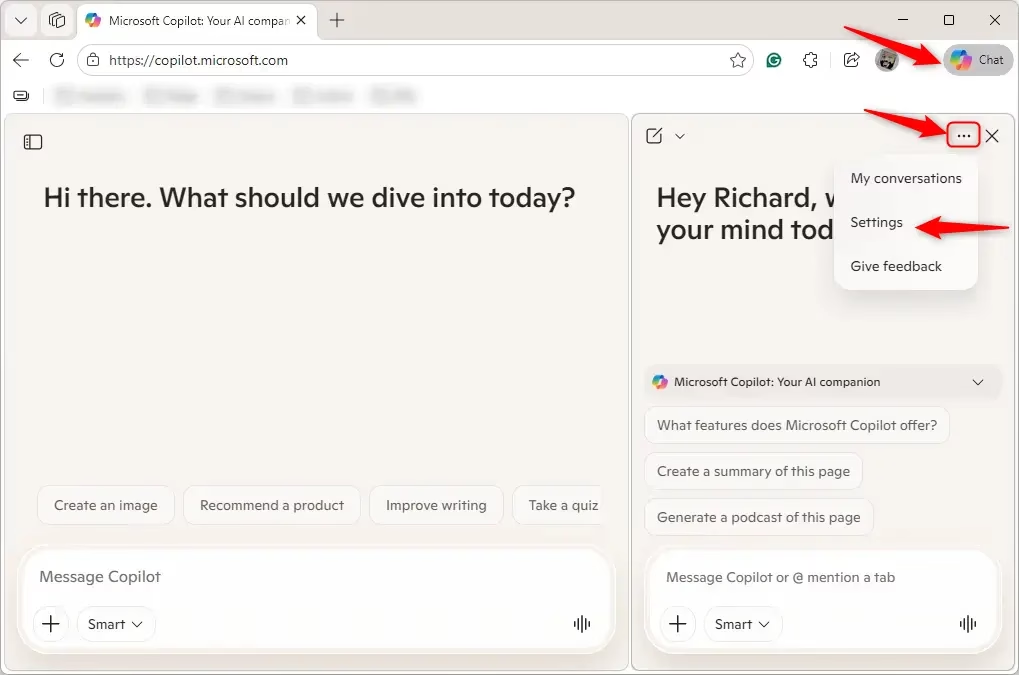
- Click the Copilot icon in the toolbar.
- Click the More options button (three dots). Then click Settings.
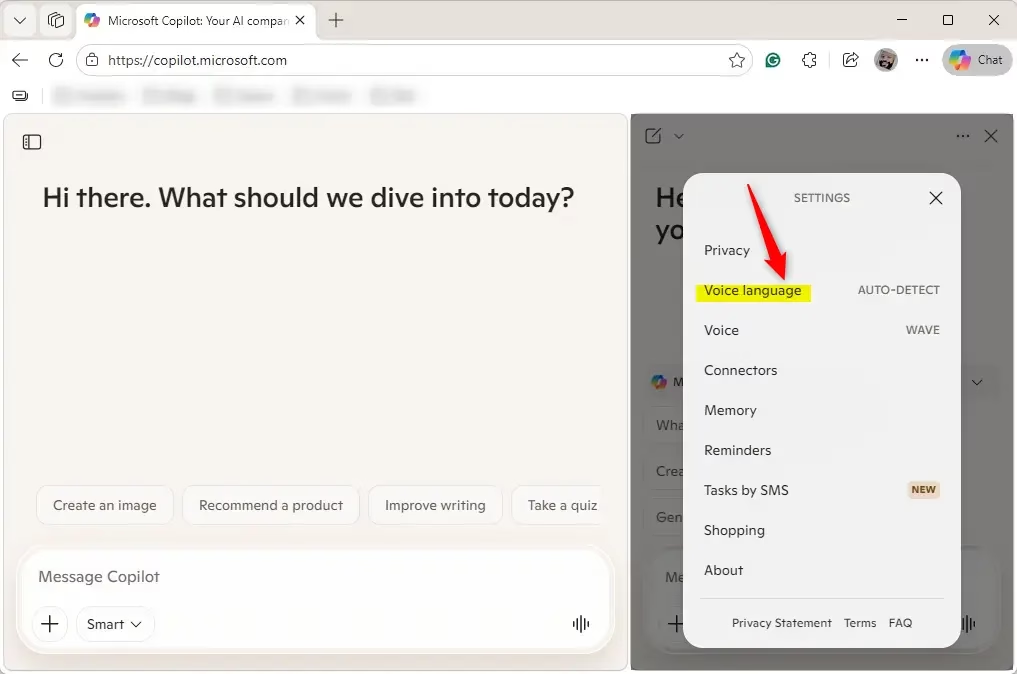
- Click Voice language.
- Pick a voice language from the list. Auto-detect is the default.
Summary
Changing Copilot’s voice language is easy. You have three ways to do it: use the Copilot Settings menu, change it while having a voice chat, or adjust it in Microsoft Edge. Just sign in, find the language option, and pick the language you want. If you don’t pick one, Copilot will try to figure out your language automatically.
Leave a Reply Cancel reply