
This tutorial will show you how to turn on or off mono audio in Windows 11.
Windows lets you convert stereo sound into a single channel with mono audio. Why would you want this? If you’re using just one headphone, mono audio lets you hear everything. You won’t miss any sounds.
People with partial hearing loss or deafness in one ear benefit from mono audio. What happens when you turn it on? Windows will play audio from both the left and right channels into both ears when using headphones. This way, you hear everything clearly.
Reference:
Make Windows easier to hear – Microsoft Support Learn about Windows accessibility features that can help make your PC easier to hear.
Note: If you turn on mono audio, it will disable the spatial sound setting.
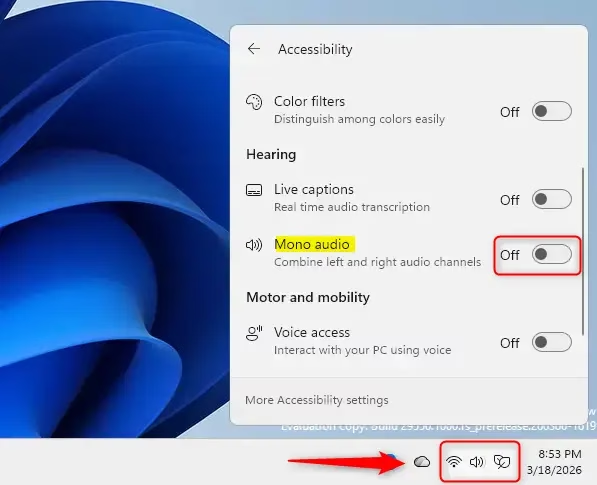
Option One: Turn On or Off Mono Audio in Quick Settings
- Open Quick Settings. Press
Win+A. - Click on Accessibility.
- Turn on or off Mono audio. Choose whatever works for you.
Option Two: Turn On or Off Mono Audio in System Settings
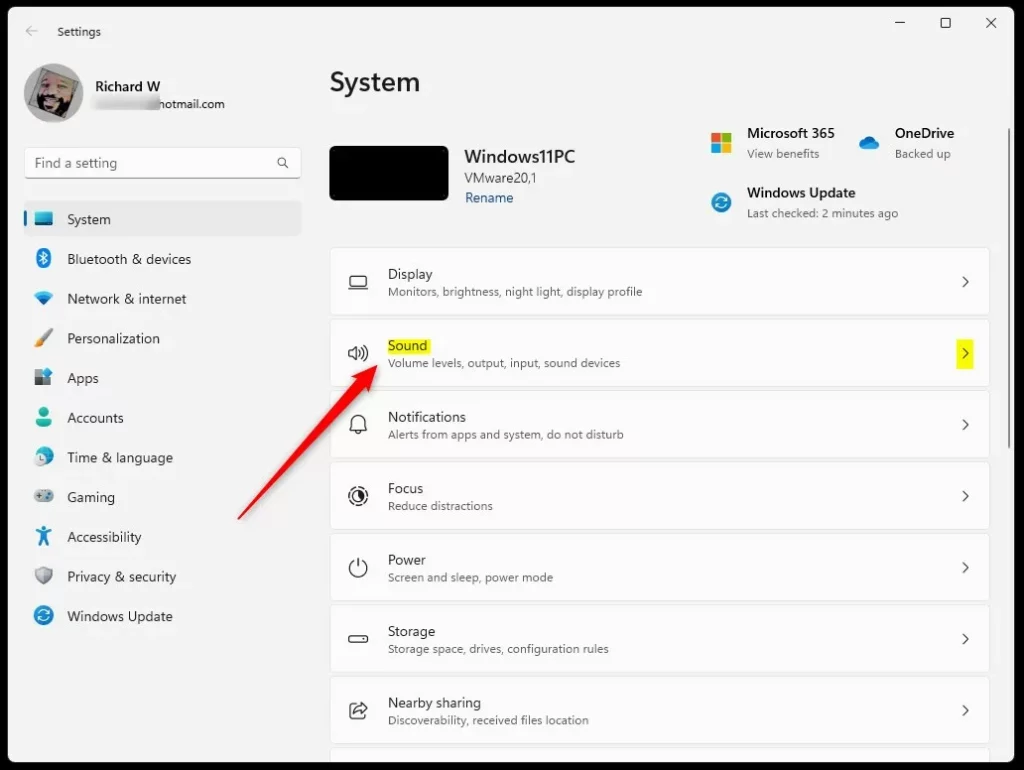
- Open Settings. Press
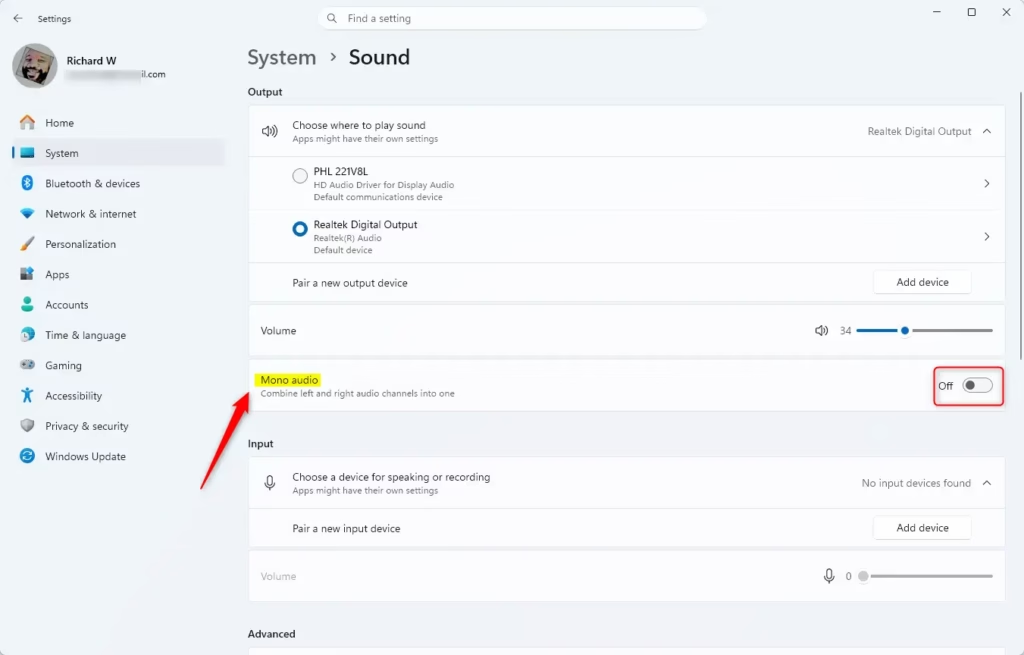
Win+I. - Click System on the left side. Then click Sound on the right side.
- Find Output devices. Turn on or off Mono audio based on what you need.
- You can now close Settings if you like.
Option Three: Turn On or Off Mono Audio in Accessibility Settings
- Open Settings. Press
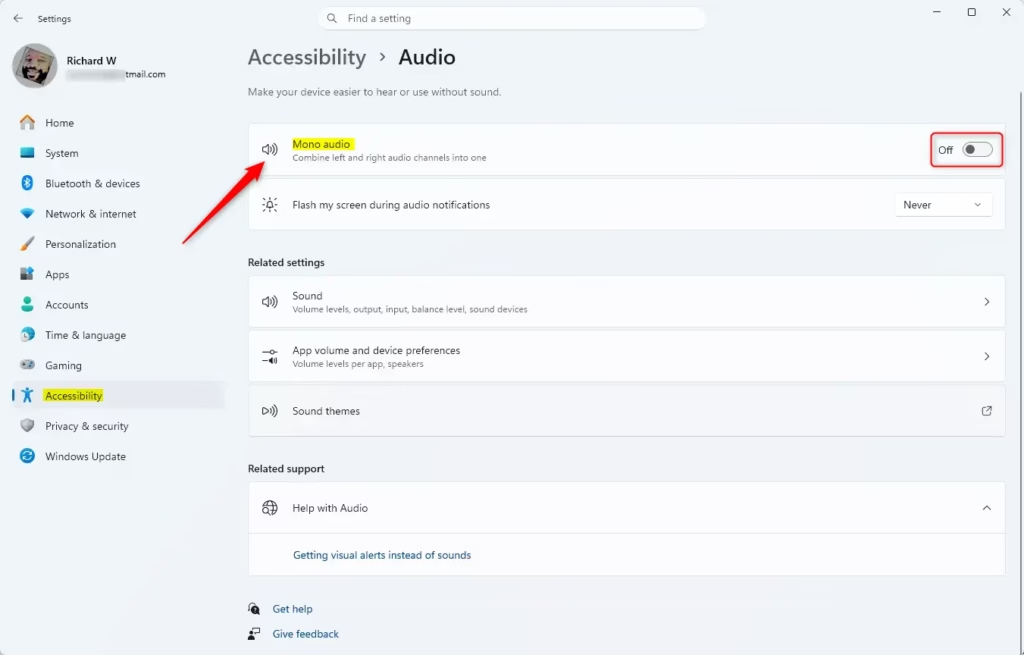
Win+I. - Click Accessibility on the left side. Click Audio under Hearing on the right side.
- Turn on or off Mono audio for what you want.
- You can now close Settings if you like.
Option Four: Turn On or Off Mono Audio Using Registry
⚠️ Admin privileges required
Turn On Mono Audio
reg add "HKEY_CURRENT_USER\Software\Microsoft\Multimedia\Audio" /v AccessibilityMonoMixState /t REG_DWORD /d 1 /fTurn Off Mono Audio
This is the default setting.
reg add "HKEY_CURRENT_USER\Software\Microsoft\Multimedia\Audio" /v AccessibilityMonoMixState /t REG_DWORD /d 0 /fSummary
Windows 11 makes it easy to turn mono audio on or off. You have four options to do this. The quickest way is using Quick Settings. If you prefer using the settings menu, you can find mono audio in System Settings under Sound, or in Accessibility Settings under Hearing and Audio. Advanced users can also adjust this setting using the Windows Registry. Mono audio is helpful for people with hearing loss in one ear, as it combines sound from both channels into both ears when wearing headphones.

Leave a Reply Cancel reply