
If you use the Microsoft Store on your Windows 11 PC, you might want to control when it asks for your password before buying apps, games, or movies. This guide will show you how to turn the password prompt on or off easily.
The Microsoft Store comes ready on Windows 11. You can use it to find and download lots of things, like apps, games, movies, and even special discounts.
By default, the Store asks for your password every time you make a purchase. This helps stop others from buying things without your permission.
If you want to buy without typing your password every time, you can change this setting. But remember, this change only works on the computer you are using — it won’t affect your other devices.
How to Turn On or Off Purchase Sign-in in Microsoft Store
Follow these simple steps to change the password prompt when buying from the Microsoft Store on Windows 11:
- Open Microsoft Store: Click the Start Menu, type Microsoft Store, and open the app.
Or learn more here: Open Microsoft Store
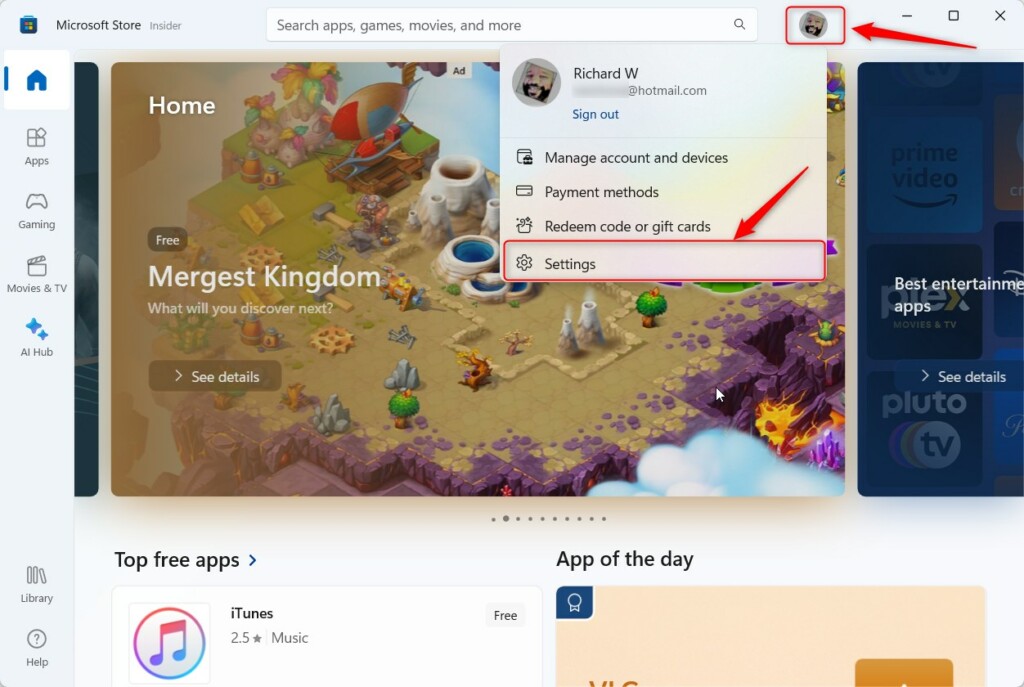
- Go to your Profile: In the top-right corner of the Store window, click your profile icon next to the search box.
- Open Settings: From the menu, choose Settings.
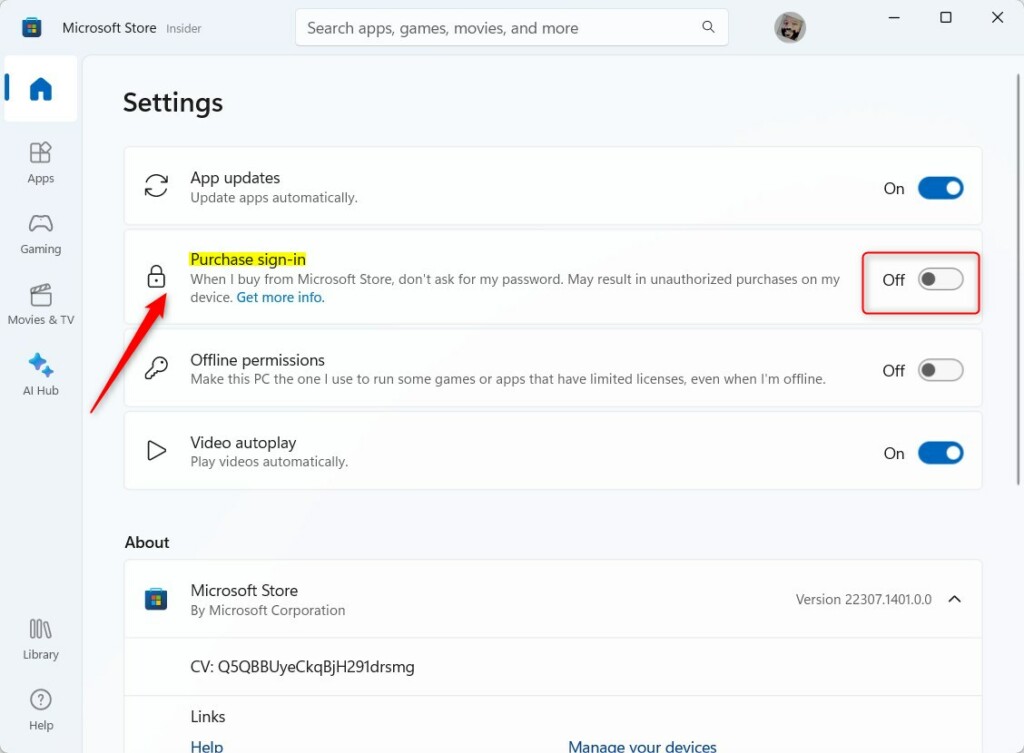
- Find Purchase sign-in: Scroll down until you see Purchase sign-in.
- Turn the switch On or Off:
- Turn On if you want to be asked for your password before buying.
- Turn Off if you want to buy without entering your password.
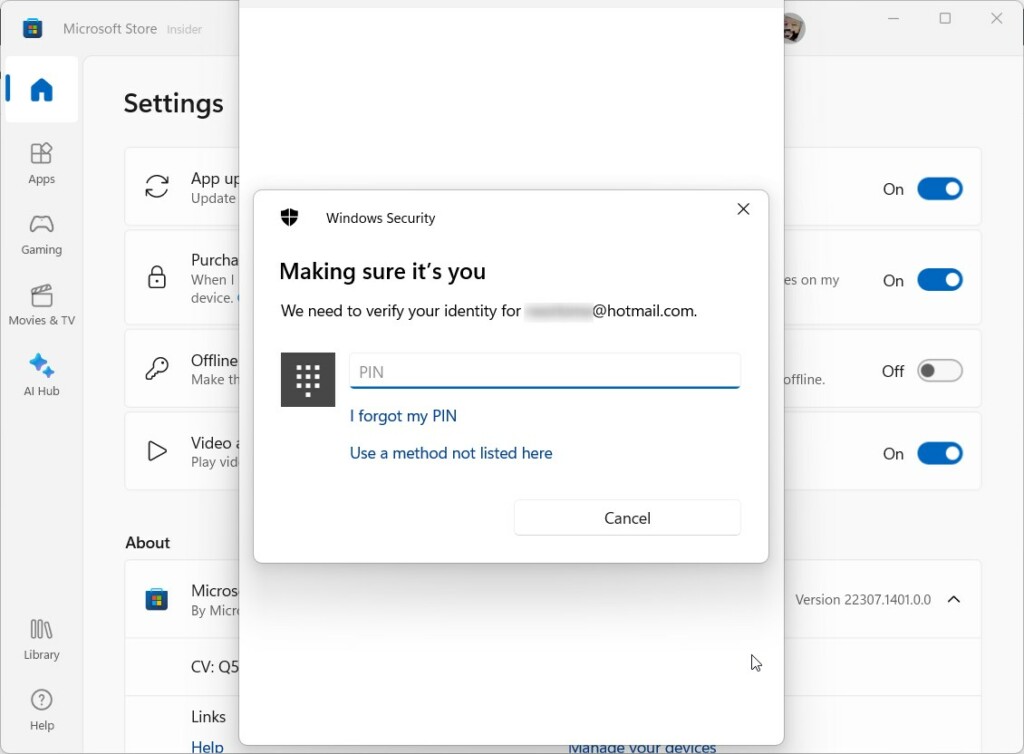
Verify your identity: You’ll be asked to enter your PIN or password to confirm changes.
Note: This change only applies to the device you are using right now. Other devices won’t be affected.
Need More Help?
Check out Microsoft’s official support page for more details.
Summary
- You can control if the Microsoft Store asks for your password before purchases.
- This setting is easy to change in the Store’s Settings menu under Purchase sign-in.
- The change only works on the current device, not on all your devices.
- Always keep your password safe to protect your purchases.
If you found this guide helpful, feel free to share your thoughts or ask questions in the comments!
Leave a Reply Cancel reply