How to Enable or Disable Airplane Mode in Ubuntu Linux


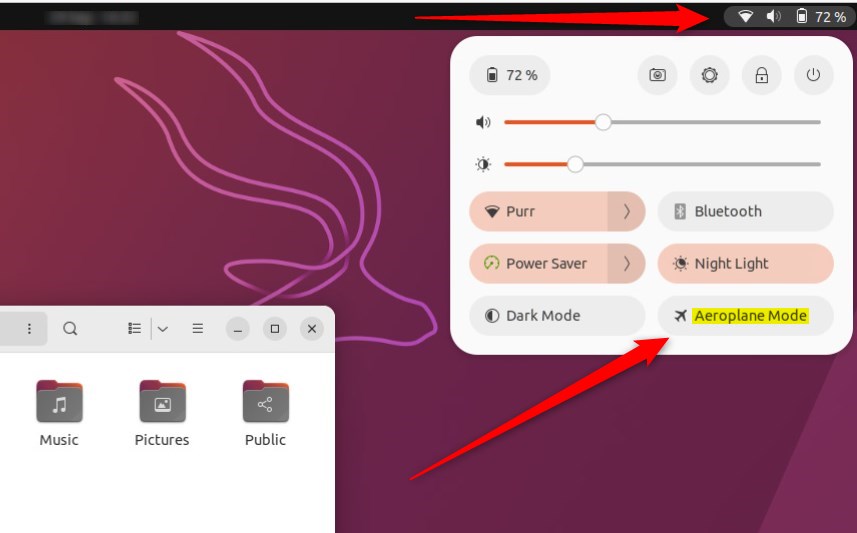
Airplane Mode in Ubuntu Linux turns off all wireless signals—including Wi-Fi and Bluetooth —using one master switch to save battery or cut connections instantly. Ubuntu 24.04 LTS puts this toggle right inside the top menu bar so you can find it in two clicks.
Click the network icon in the top-right corner of your screen to reach the switch immediately. The option sits at the top of the menu, letting you disconnect all wireless hardware before you board a flight.
Toggle Airplane Mode from the system tray ’s network icon or the Settings app. You can also use the keyboard shortcut Super + S or terminal commands like `nmcli r wifi off` or `rfkill block all`.
General
- To turn Wi-Fi on:
nmcli r wifi on - To turn Wi-Fi off:
nmcli r wifi off - To manage all wireless devices:
rfkill block allorrfkill unblock all
How to turn on or off airplane mode from the System menu in Ubuntu Linux
You can easily turn airplane mode on or off in Ubuntu using the System menu, which is perfect if your computer doesn’t have a physical switch.
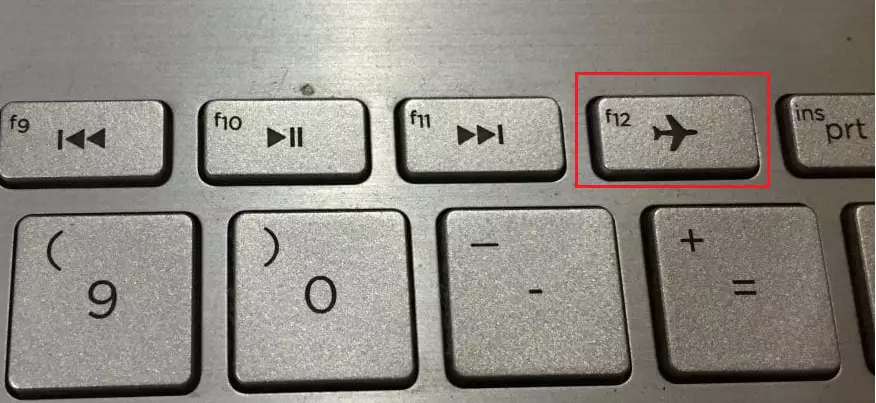
How to disable or enable airplane from Settings in Ubuntu Linux
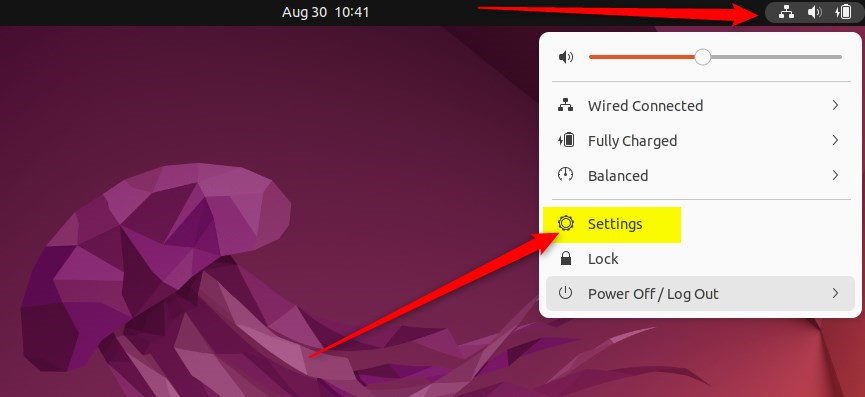
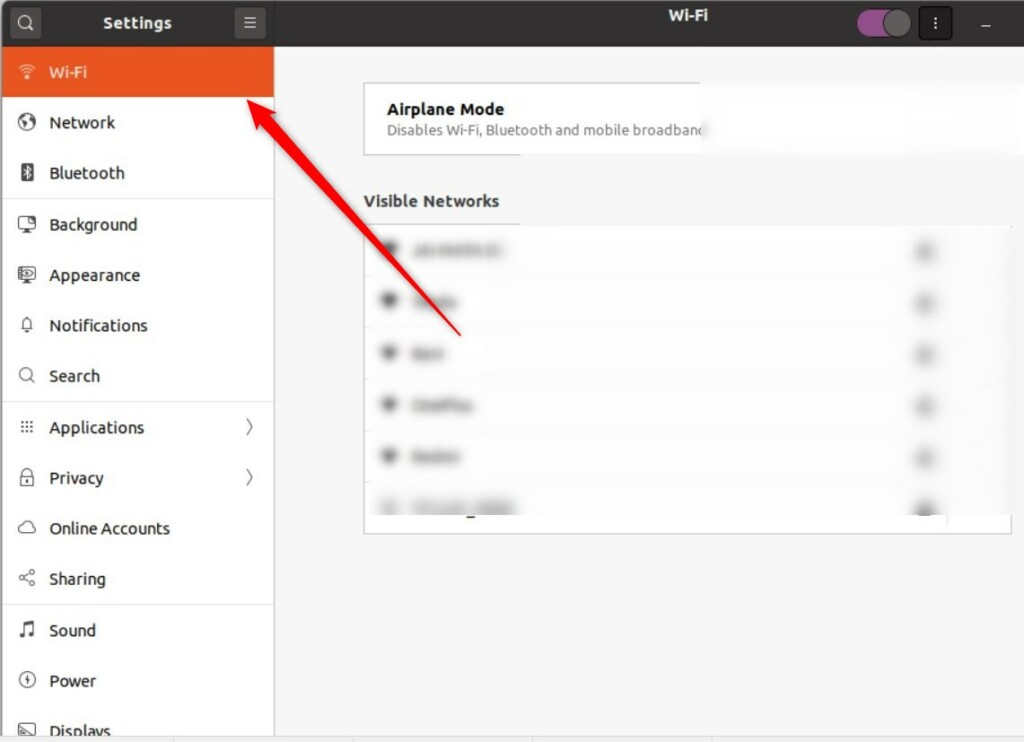
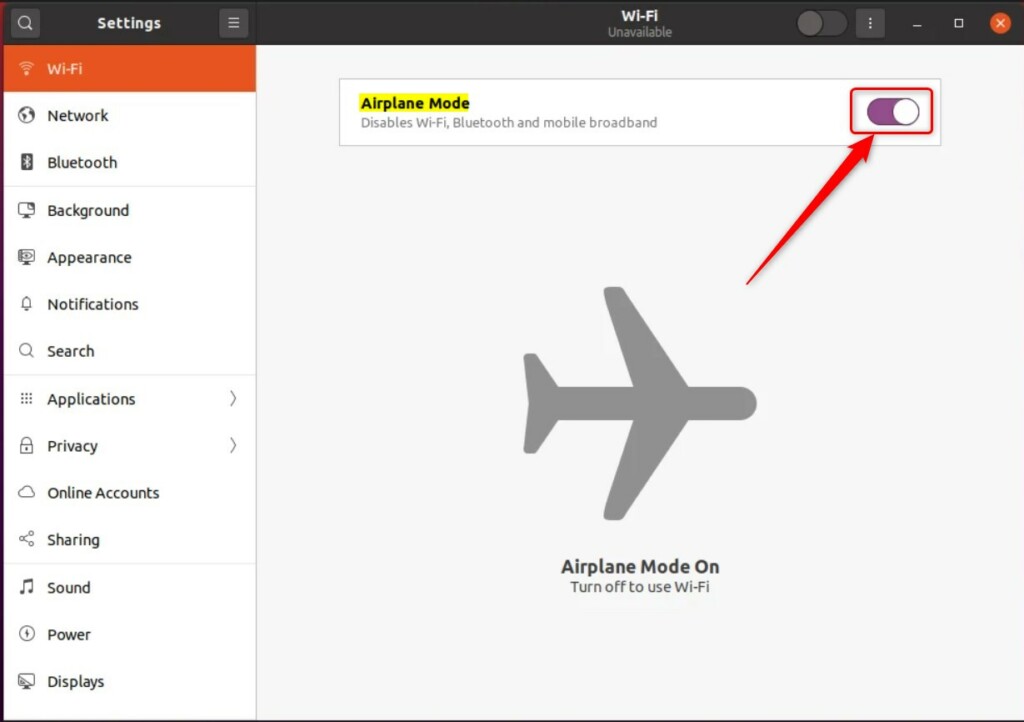
Managing airplane mode Ubuntu through the main Settings app lets you turn off all wireless connections at once. You can find this switch by opening the system menu in the top right corner of your screen, clicking the gear icon to open Settings, and choosing the Wi-Fi or Network tab where you can click the toggle switch next to Airplane Mode to turn it on or off.
- Open the System menu in the top right corner.
- Select the Settings icon.
- In the sidebar on the left, look for the Network or Wi-Fi category.
- Find the Airplane Mode toggle.
- Click the switch to turn it On or Off.
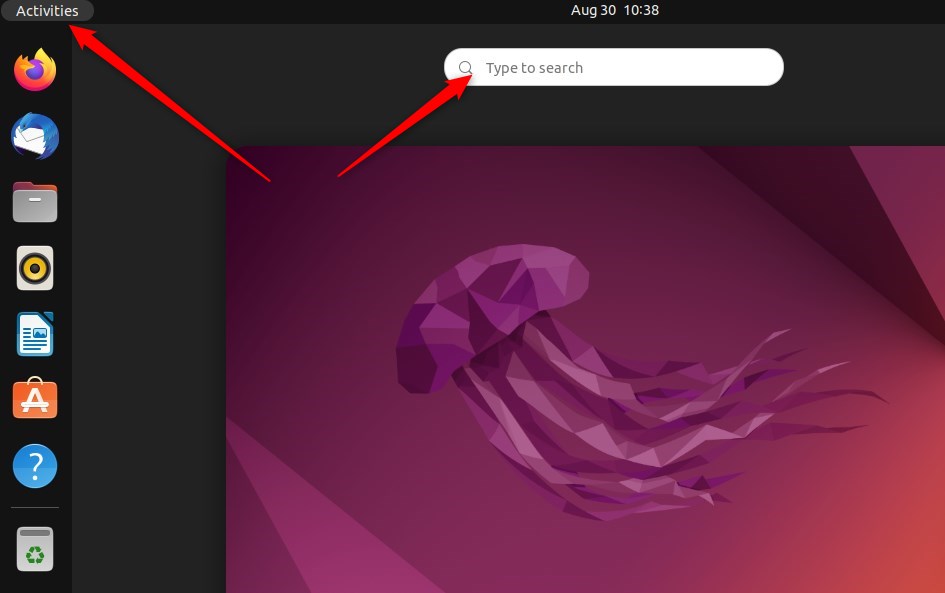
That is all you need to do! You can learn more about managing your %📂%LNK0%% network connections or %📂%LNK1%% wireless settings on the official Ubuntu support pages.
Was this guide helpful?
0% of readers found this helpful (1 votes)

About the Author
Richard
Tech Writer, IT Professional
Richard, a writer for Geek Rewind, is a tech enthusiast who loves breaking down complex IT topics into simple, easy-to-understand ideas. With years of hands-on experience in system administration and enterprise IT operations, he’s developed a knack for offering practical tips and solutions. Richard aims to make technology more accessible and actionable. He's deeply committed to the Geek Rewind community, always ready to answer questions and engage in discussions.


No comments yet — be the first to share your thoughts!