How to Set Up Apache Basic Authentication in Ubuntu 24.04


Apache basic authentication in Ubuntu 24.04 blocks unauthorized visitors from private folders on your website by requiring a username and password before anyone can view the page. This built-in security tool uses a settings file called .htaccess and a tool named htpasswd to store login details inside the /etc/apache2/sites-available/ folder.
You can set up password protection in a few minutes to keep private dashboards and admin areas safe.
Install Apache utilities with `sudo apt install apache2-utils`. Create a virtual host file in `/etc/apache2/sites-available/` to define the protected directory and authentication settings. Then, use `htpasswd -Bc /etc/apache2/.htpasswd username` to create user credentials.
Protect directories with Apache basic authentication
Apache basic authentication Ubuntu setup protects specific folders on your website by requiring a valid username and password before visitors can view any files inside those restricted areas. You need to install specific helper tools using the terminal before you can create your password file and apply the security rules to your server.
sudo apt install apache2-utils
Continue below to secure a directory with a username and password.
For this walkthrough, /var/www/html/sensitive-doc acts as the protected directory. Anyone attempting to visit this location must provide valid credentials.
Create a dedicated Apache virtual host file for this setup. Run the command below to generate a file named basic-auth.conf.
sudo nano /etc/apache2/sites-available/auth-basic.conf
Paste the content below into the file and save the changes.
<Directory /var/www/html/sensitive-doc>
    AuthType Basic
    AuthName "Basic Authentication"
    AuthUserFile /etc/apache2/.htpasswd
    require valid-user
</Directory>
Create accounts
Use the command below to generate user credentials for the restricted directory.
sudo htpasswd -Bc /etc/apache2/.htpasswd username
Replace username with the desired login name.
Type and confirm a new password when prompted.
Create the protected directory
Creating a protected directory for Apache basic authentication Ubuntu involves making a new folder on your web server and configuring your site settings to apply the password prompt. You set up the directory path, create a password file for allowed users, and update the Apache configuration files to lock down that specific folder.
Enabling Apache virtual hosts makes the new configuration active. Reload Apache services to apply these changes. Run `sudo systemctl reload apache2.service` to update the server.
sudo a2ensite auth-basic.conf
sudo systemctl reload apache2
Run the command below to create a basic HTML index.html file for testing.
sudo nano /var/www/html/sensitive-doc/index.html
Paste the lines below into the file and save.
<html>
<title>My basic authentication HTML page</title>
<body>
<p style="width: 100%; font-weight: bold; font-size: 60px; text-align: center;">
Basic authentication is enabled!
</p>
</body>
</html>
Save the file and exit the editor.
Test Apache basic authentication
Testing Apache basic authentication Ubuntu confirms that your password protection works correctly before you let visitors use the site. You open a web browser, go to your protected web address, and check that a login box pops up and accepts your correct username and password.
http://example.com/sensitive-doc/
A prompt requests a valid username and password.
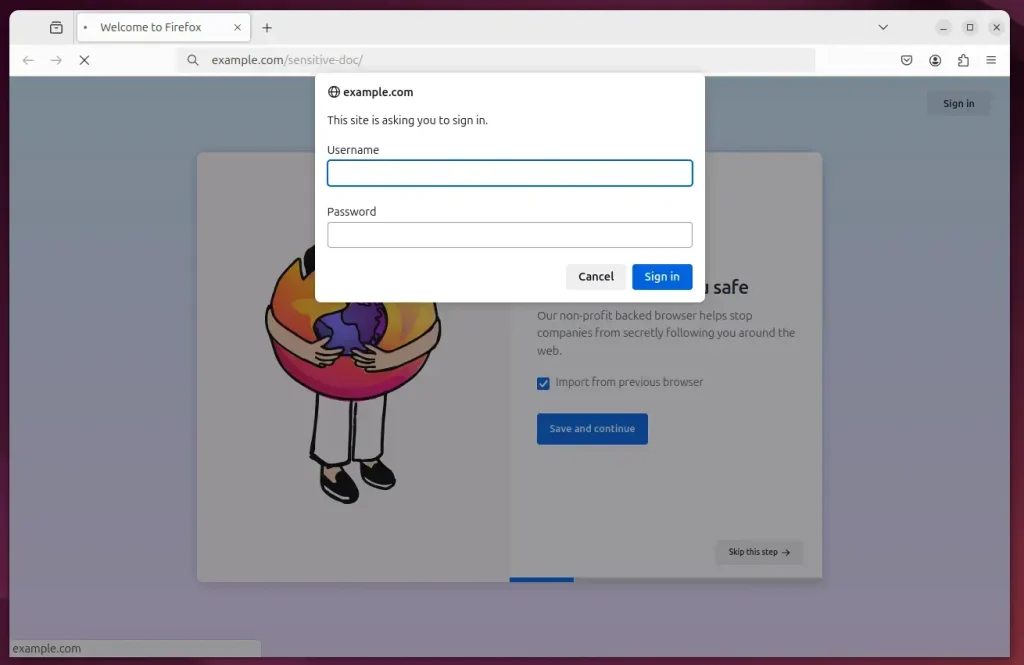
Enter the correct credentials to sign in.
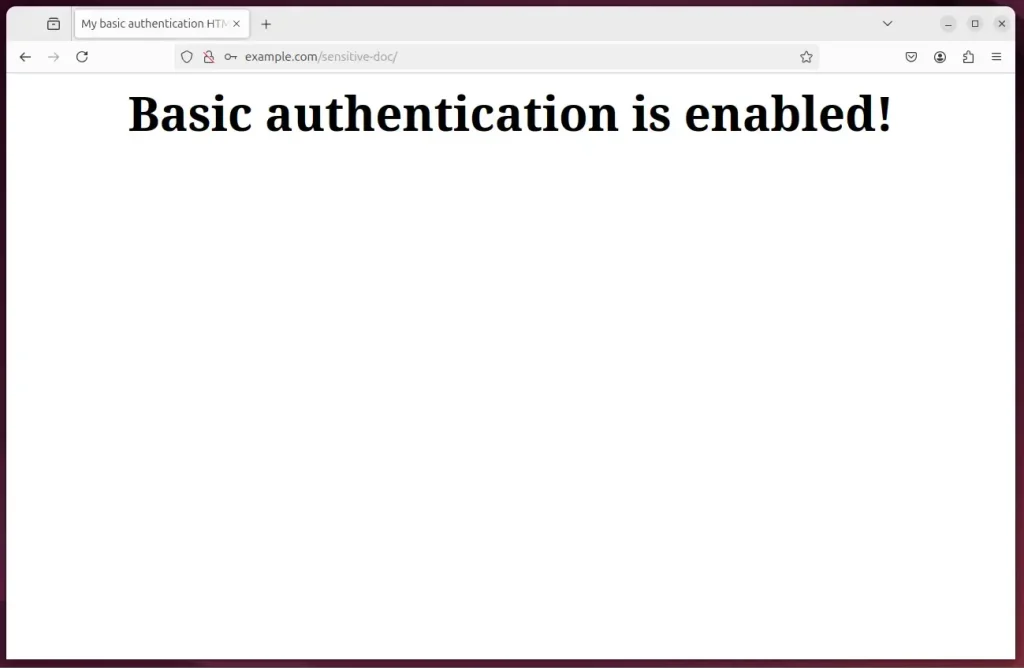
That completes the setup process.
Conclusion:
Locking down sensitive directories with a password wall prevents unauthorized visitors from poking around your server.
- Enhanced Security: Basic Authentication adds a layer of protection by requiring users to authenticate with a username and password.
- SSL/TLS Implementation: Remember to set up SSL/TLS to encrypt the data exchanged, ensuring that credentials are not sent in plain text.
- Directory Protection: You can easily protect any directory by creating a virtual host configuration and an account for access.
- Test Access: Verify your setup by accessing the protected directory and ensuring the authentication prompts function as intended.
- Ongoing Management: Maintain your credentials and manage user access as needed for optimal security.
Web applications and private data remain secure with these password protections in place.
Was this guide helpful?

About the Author
Richard
Tech Writer, IT Professional
Richard, a writer for Geek Rewind, is a tech enthusiast who loves breaking down complex IT topics into simple, easy-to-understand ideas. With years of hands-on experience in system administration and enterprise IT operations, he’s developed a knack for offering practical tips and solutions. Richard aims to make technology more accessible and actionable. He's deeply committed to the Geek Rewind community, always ready to answer questions and engage in discussions.




[…] Apache Basic Authentication is a method used to restrict access to web resources on an Apache server by requiring users to provide a username and password. […]