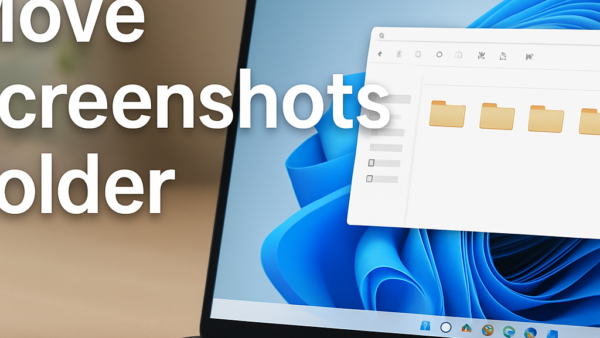
The default location of the screenshots folder in Windows 11 determines where your computer saves every image you capture using the Win + PrtScn shortcut. Windows automatically places these pictures…
Windows 11
2,060 tutorials
Windows search indexing creates a background catalog of over 100,000 files on your hard drive so you can find apps, emails, and documents instantly from the taskbar. Broken search indexing…
Windows 11 taskbar and system tray customization lets you rearrange app icons, hide clutter, and put your most-used tools right where you want them on your screen. Microsoft centers the…
Windows 11 Backup and Recovery is your main safety net for protecting personal files and computer settings from sudden crashes or accidental deletes. Windows includes three primary built-in tools for…
Windows 11 backup and recovery methods protect your personal files and let you restore your computer when things go wrong. These three built-in tools include File History for saving file…
Microsoft Family Safety is a free set of tools on Windows 11 that helps you manage what your kids do on computers, Xbox consoles, and mobile devices. You can use…
Windows File Recovery is a free official tool from Microsoft that brings deleted files back from your hard drive, SSD, or USB memory stick. The app runs in a Command…
Desktop icon spacing in Windows 11 controls the exact pixel distance between shortcuts, files, and folders on your screen so you can fit more items or stop text from overlapping.…
Performance Monitor is a built-in tool in Windows 11 that tracks how hard your PC is working and shows live data about your processor, memory, and disk usage. You can…
Managing OneDrive on Windows 11 stops Microsoft’s cloud storage from filling up your hard drive or backing up folders without your permission. OneDrive is a built-in tool that saves your…
Windows Terminal customisation lets you change how the command-line app looks and works on Windows 11 by editing a simple text file instead of using standard menu buttons. You can…
Windows 11 display and appearance settings control how everything looks on your monitor, from background pictures to text size and color themes. You use these built-in options to make your…
Wi-Fi network problems in Windows 11 stop your PC from reaching the internet or sharing files with other devices. These dropouts, slow speeds, and stubborn connection glitches happen to almost…
Making things bigger on your Windows 11 PC helps you read text and spot icons much easier without straining your eyes. This built-in display setting lets you scale up everything…
Outlook on Windows 11 manages your email messages, calendar events, and contacts in one central app. Changing your primary account lets you set your main email address as the default…