This guide explains how to show or hide drive letters in Windows 11 File Explorer for a cleaner appearance. Users can change this setting in File Explorer Options or through the Registry Editor for more advanced control. Remember to restart your PC to see changes take effect.
Windows
2,188 tutorials · page 58
Windows 11's Do Not Disturb feature minimizes distractions by silencing notifications. Users can automate its activation for specific times or activities such as gaming or presentations. To set this up, navigate through the Settings menu to customize the schedule and preferences, ensuring fewer interruptions during critical tasks.
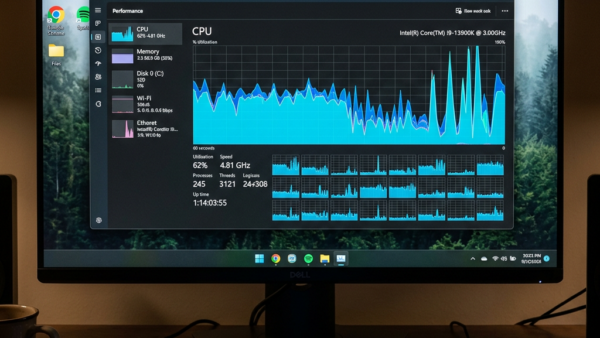
To keep the Task Manager window visible above other apps in Windows 11, enable the "Always on top" feature. Open Task Manager quickly with Ctrl + Shift + Esc. You can toggle this feature through the Taskbar icon or the Settings menu. This helps monitor your computer’s performance efficiently.
Windows 11's Task Manager includes a "Real-time update speed" feature, allowing users to control data refresh rates. Options include High (0.5 seconds), Normal (1 second), Low (4 seconds), or Paused. Adjusting this setting enhances user experience by providing information at a preferred pace, with easy step-by-step instructions available.
"Activate on hover" is a Windows feature that allows users to make a window active by simply hovering the mouse over it, eliminating the need for clicking. Users can enable or disable this function through the Settings app or Control Panel in Windows 11, enhancing efficiency when managing multiple windows.
This guide outlines steps to change your Windows 11 product key, a crucial 25-character code for activation. You can do this via the Windows Settings app or through Command Prompt using the slmgr /ipk command. For further help, refer to Microsoft's official support page on Windows 11 activation.
This guide explains how to open Command Prompt before logging into Windows 11 to troubleshoot issues when the operating system fails to start properly. Users can access it using installation media by pressing SHIFT + F10 or through Advanced Startup options via the Restart menu.
Windows 11 does not automatically provide a Recycle Bin for removable drives like USB sticks. However, you can enable this feature by making adjustments in the Windows Registry. Following specific steps allows deleted files from these drives to go to a hidden Recycle Bin, enhancing file protection and recovery options.
This guide outlines four easy methods to find the UEFI BIOS version in Windows 11. Users can utilize the System Information app, Device Manager, DirectX Diagnostic Tool, or Command Prompt. Knowing the BIOS version is crucial for updates and troubleshooting, ensuring enhanced computer functionality and performance.
UEFI BIOS opens through the Windows Recovery Environment on Windows 11 PCs. This modern system starts your computer and checks its hardware before Windows loads. You need to open UEFI…
The Run as command in Windows 11 allows users to launch applications or files under a different user account or with administrator privileges. Accessible via File Explorer, Taskbar, Command Prompt, and PowerShell, this feature is vital for executing tasks requiring elevated permissions. However, some apps, like the Windows Store, do not support it.
To resolve sound issues on Windows 11, updating the audio driver is essential. You can do this via Windows Optional Updates or manually using Device Manager. The steps involve checking for updates in the settings or installing drivers directly from a downloaded file. Restart the computer afterwards for optimal performance.
The Notification Center in Windows 11 consolidates alerts and messages for easy access via the taskbar. Users can open it through various methods, including keyboard shortcuts. It can be enabled or disabled through the Local Group Policy Editor or the Registry Editor, with changes taking effect after a system restart.
This guide explains how to update video drivers on a Windows 11 computer to resolve display issues. Users can update drivers through Windows Optional Updates, Device Manager, or by downloading them directly from the manufacturer's website. Restarting the computer after an update is recommended for changes to take effect.
Windows 11 allows users to share open windows directly from the taskbar during meetings, enhancing screen sharing on platforms like Microsoft Teams. Users can enable or disable this feature via Settings or the Registry Editor. The process is straightforward, promoting efficiency in virtual communication.