How to Create Podcast of Page with Copilot in Microsoft Edge on Windows 11

You can create an audio podcast directly from any webpage using Copilot in Microsoft Edge on Windows 11.
Copilot is Microsoft’s AI assistant built into Edge, designed to help you accomplish tasks more efficiently. This feature transforms text-heavy webpages into listenable audio content, perfect for when you’re multitasking.
This capability allows you to consume online content as if it were a podcast, enabling you to learn or catch up on topics while commuting, exercising, or performing other activities away from your screen. You’ll find the “Create Podcast” option directly within the Copilot sidebar.
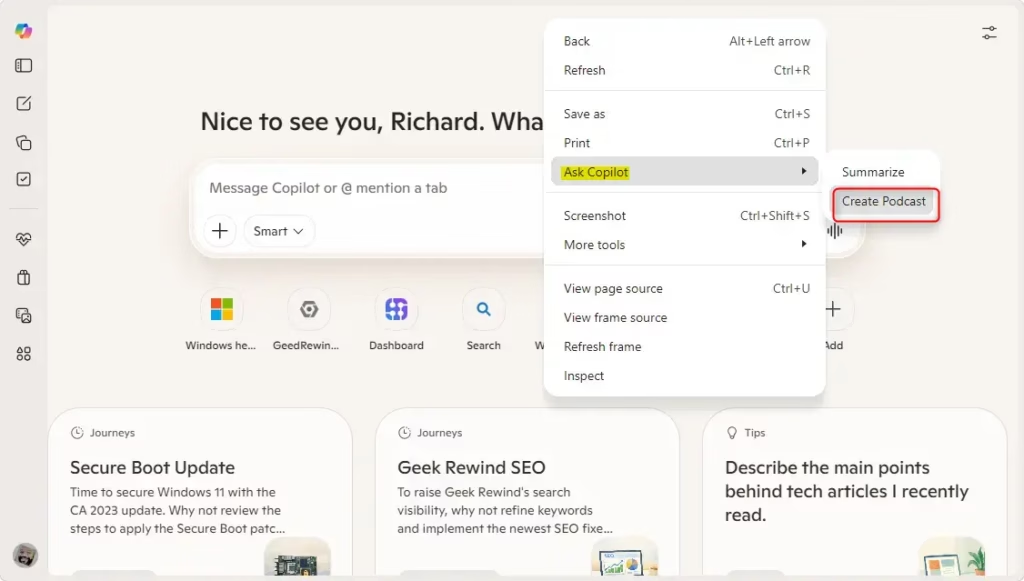
To use this, ensure the “Show Copilot button in toolbar” setting is enabled in Edge. Once activated, right-clicking on a webpage and selecting “Ask Copilot” will reveal the “Create Podcast” option.
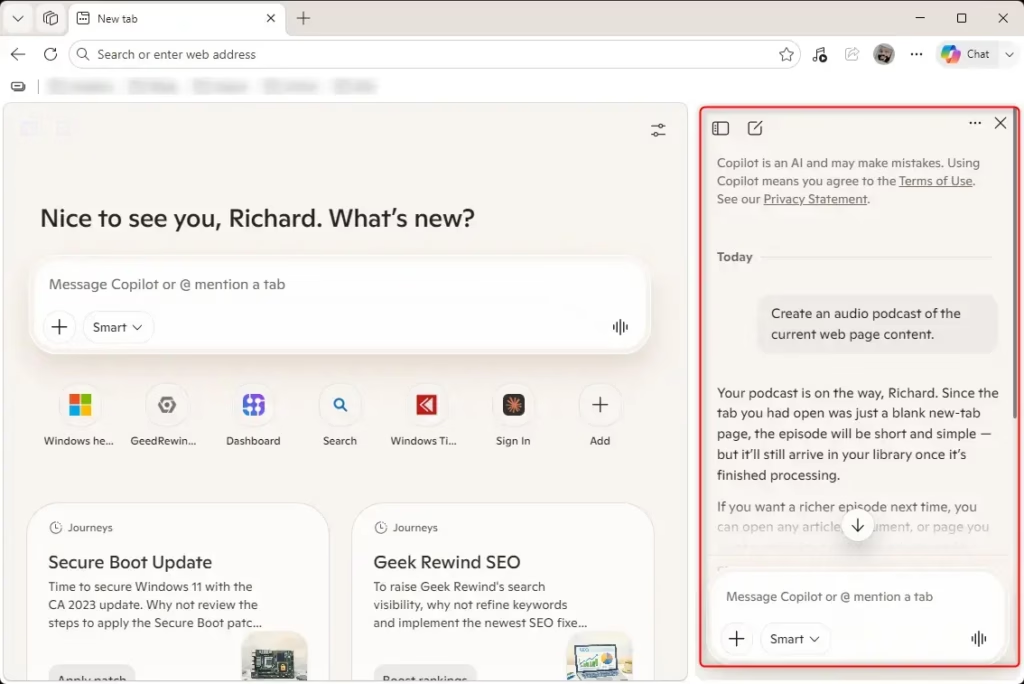
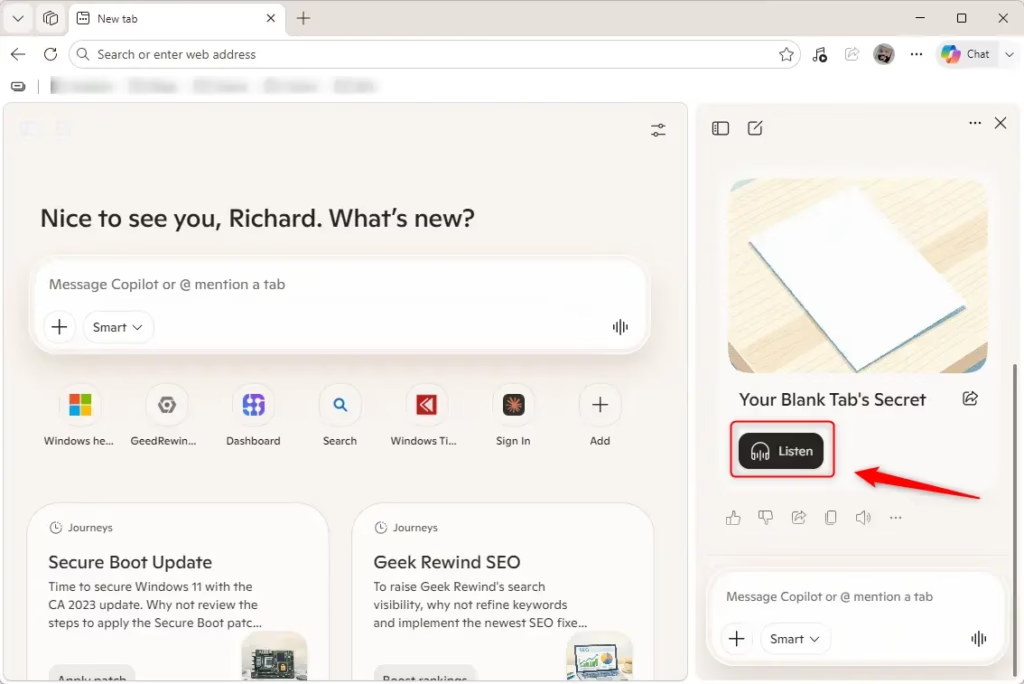
To create a podcast from a webpage in Microsoft Edge, first ensure the Copilot button is enabled in your toolbar settings. Then, right-click on the webpage, select “Ask Copilot,” and choose “Create Podcast.” You can then listen to the generated audio from the Copilot sidebar.
Here’s How:
- Open Microsoft Edge.
- Go to a webpage you want to turn into a podcast.
- Right-click on an empty spot on the page.
- Click or tap on “Ask Copilot”.
- Click or tap on “Create Podcast”.
- Copilot will now start creating the podcast.
- You can now “Listen” to the podcast when it’s ready.
Reference:
Podcasts in Microsoft Copilot | Microsoft Support
Summary
In this tutorial, you learned how to use Copilot in Microsoft Edge to create an audio podcast from a webpage. You need to enable the Copilot button in the toolbar. Then, you can right-click on a page, select “Ask Copilot,” and choose “Create Podcast.” Copilot will generate the audio, which you can then listen to from the sidebar.
Was this guide helpful?

About the Author
Richard
Tech Writer, IT Professional
Richard, a writer for Geek Rewind, is a tech enthusiast who loves breaking down complex IT topics into simple, easy-to-understand ideas. With years of hands-on experience in system administration and enterprise IT operations, he’s developed a knack for offering practical tips and solutions. Richard aims to make technology more accessible and actionable. He's deeply committed to the Geek Rewind community, always ready to answer questions and engage in discussions.
📚 Related Tutorials



No comments yet — be the first to share your thoughts!